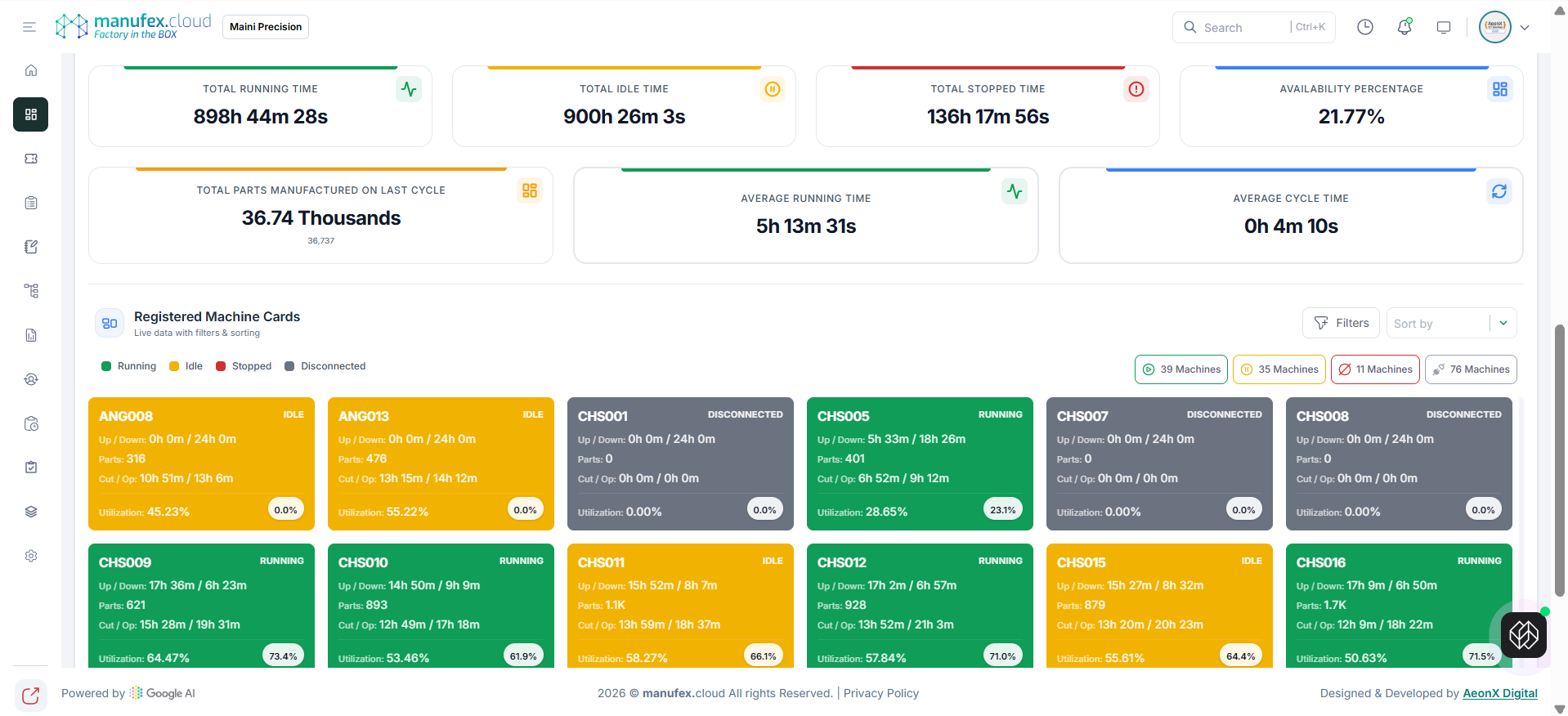
Factory Sync
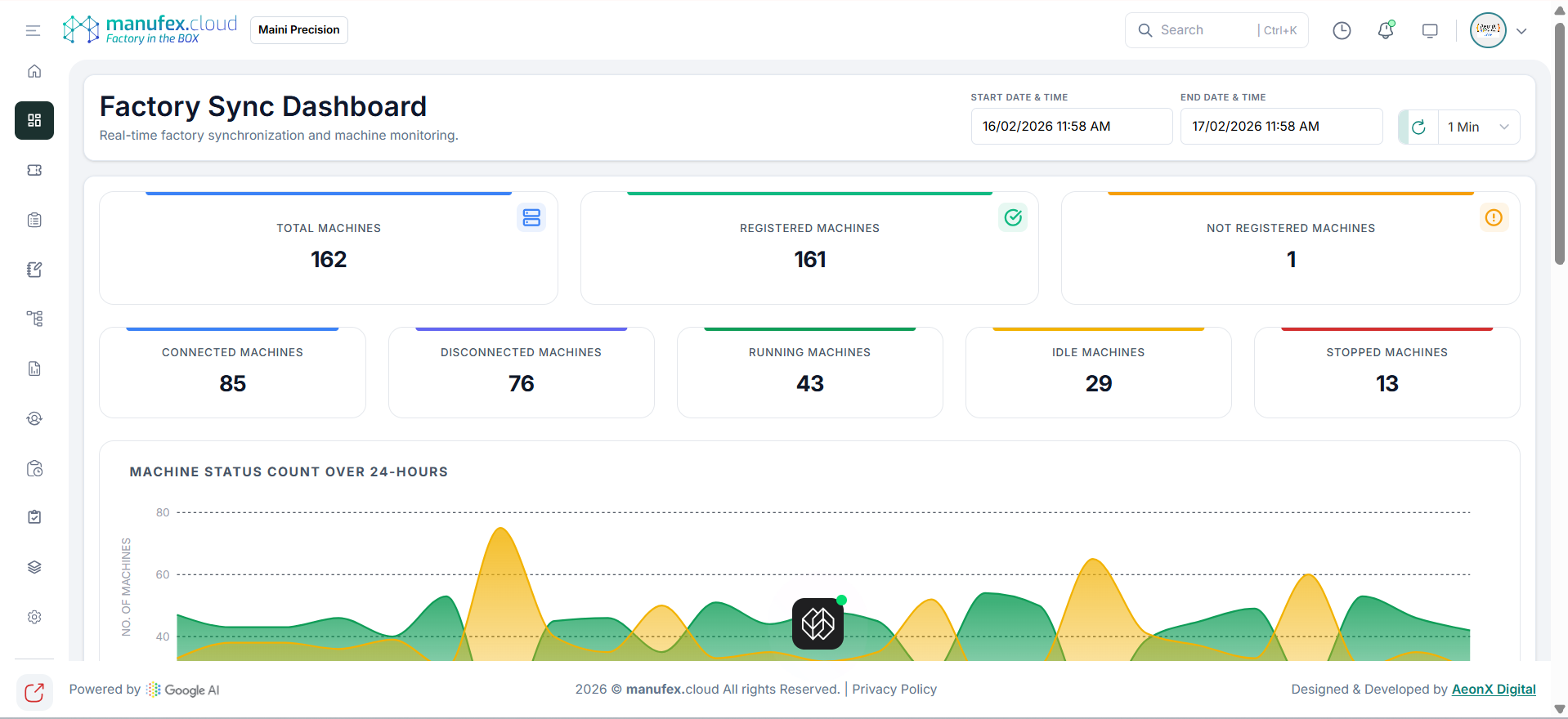
Use Factory Sync to monitor real-time factory synchronization and machine connectivity.
View Factory Sync dashboard:
1. In the left sidebar, go to Dashboard > Factory Monitoring > Factory Sync.
2. Set Start Date & Time and End Date & Time.
3. Use the refresh and interval controls to update the dashboard.
View machine-wise details:
1. Scroll to Registered Machine Cards.
2. Use Filters and Sort by to narrow down results.