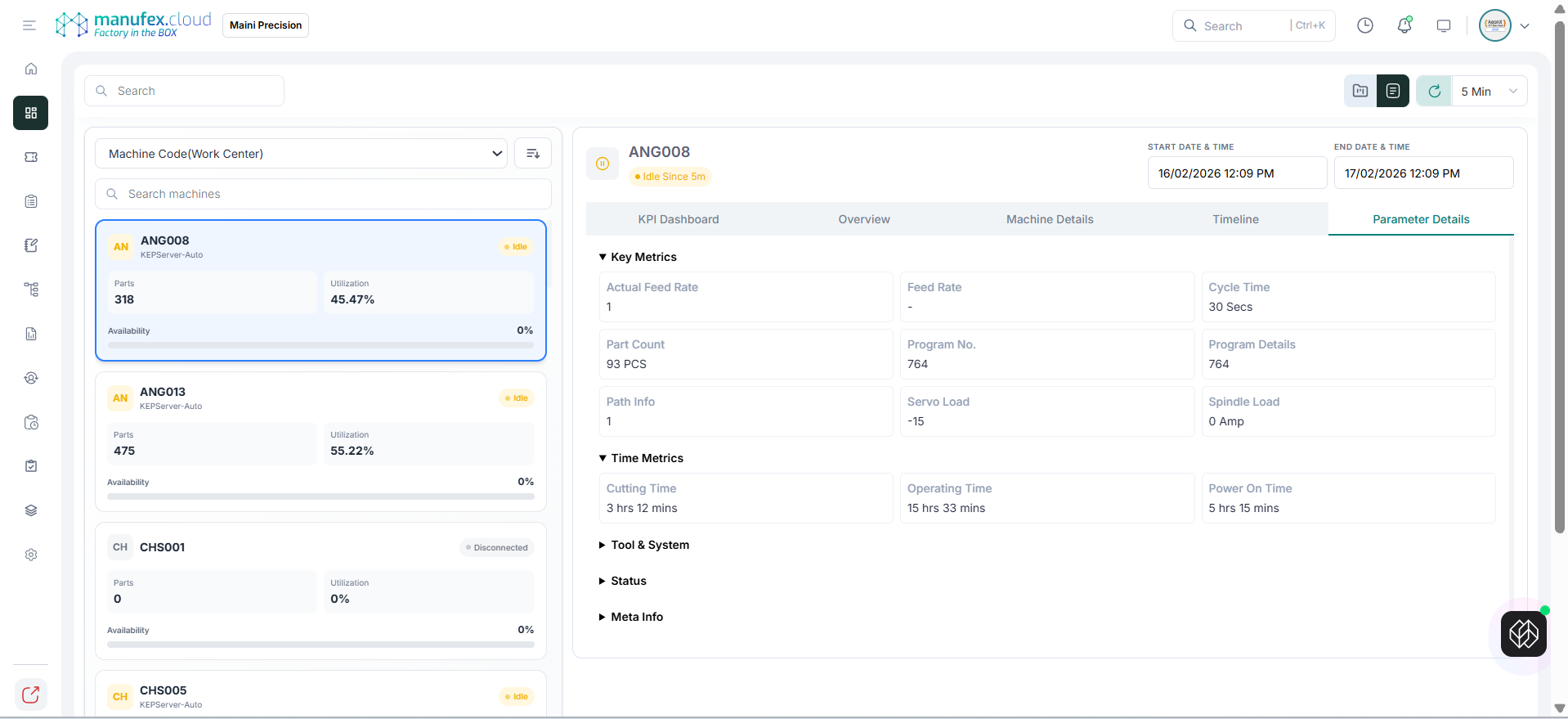
Machine IQ Console
Use Machine IQ Console to monitor machine KPIs and drill down into machine-level details.
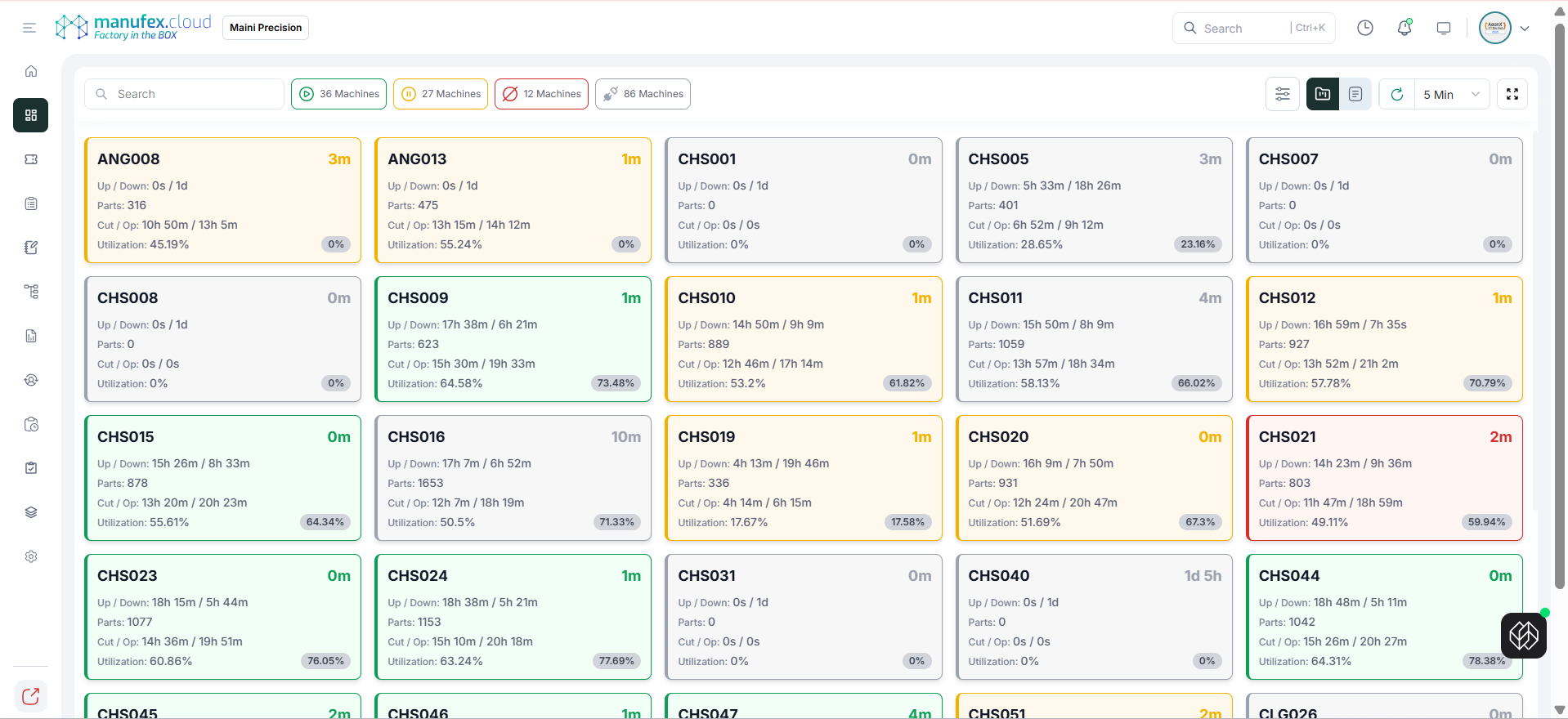
View Machines
- In the left sidebar, go to Dashboard > Factory Monitoring > Machine IQ Console.
- Use Search and status chips (Running / Idle / Stopped / Disconnected) to filter machines.
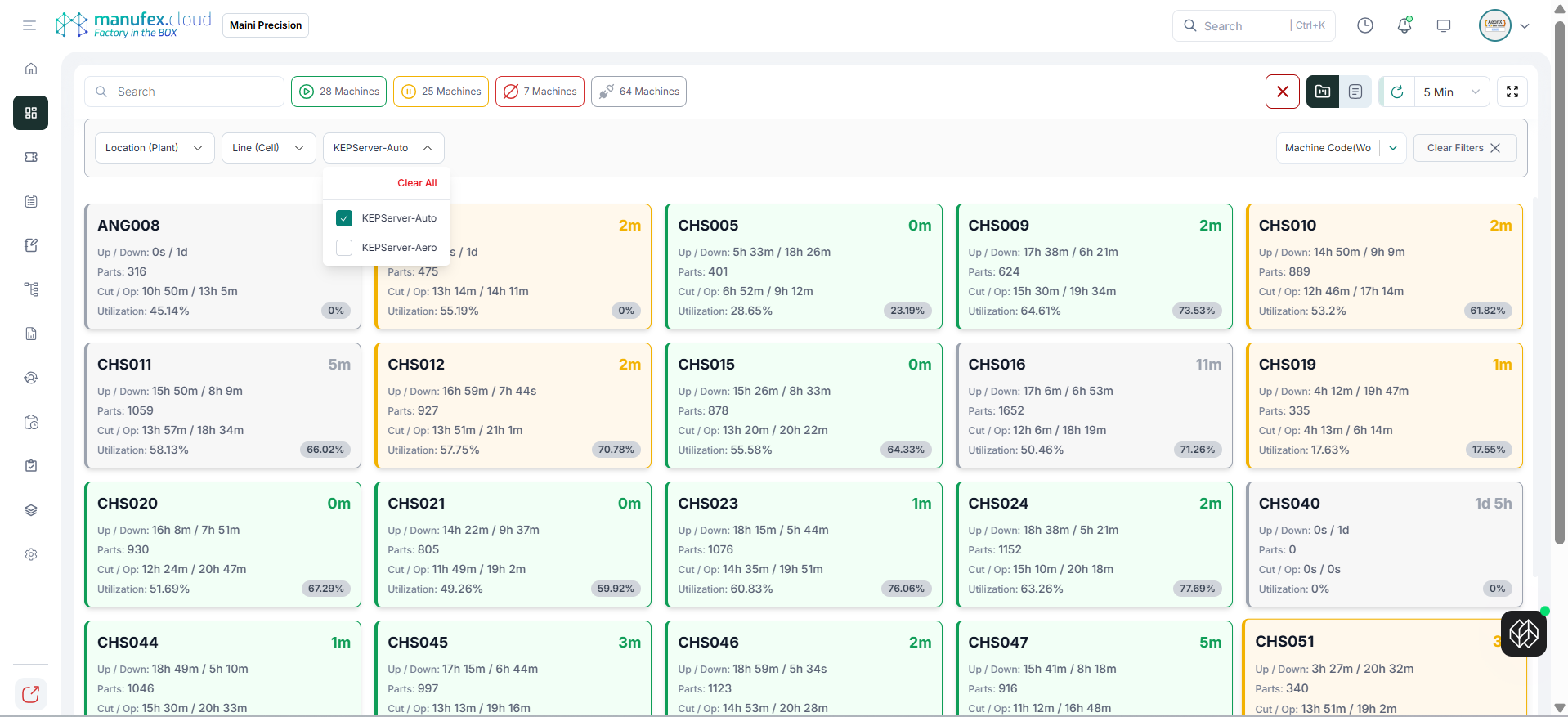
Apply Filters
- Click the Filters icon.
- Select filters such as Location (Plant), Line Type (Zone), Line (Cell), and data source.
- Use Clear Filters to reset.
View Machine Details
- Click a machine to open the machine details view.
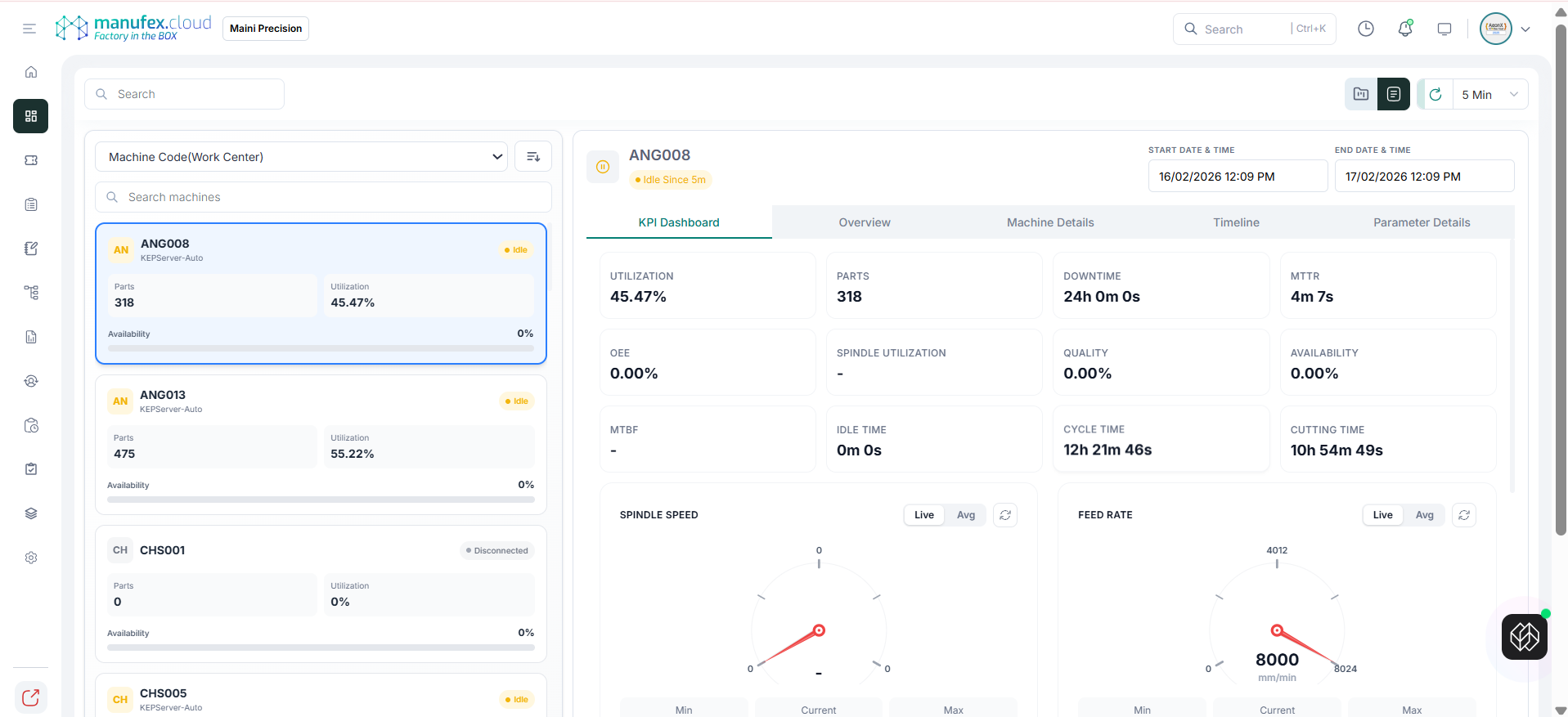
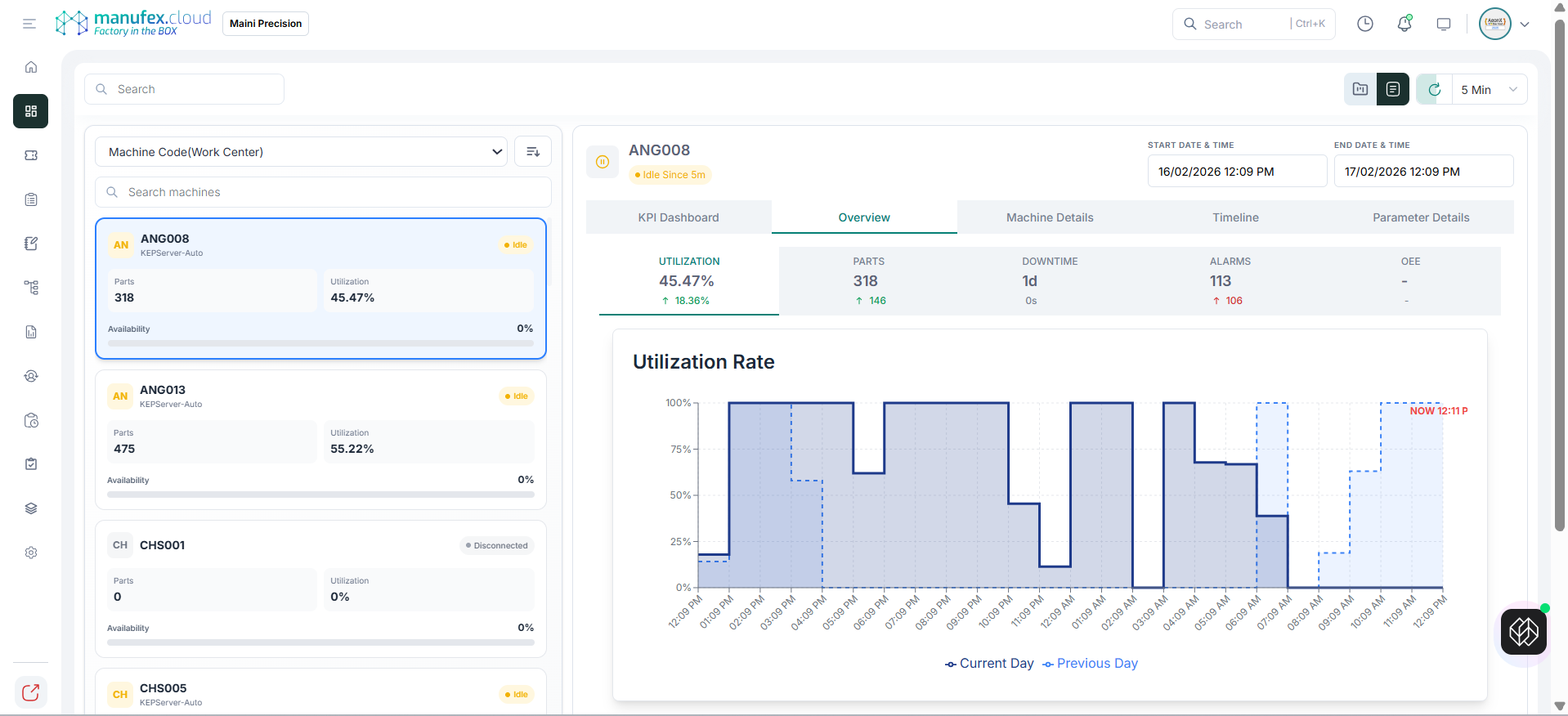
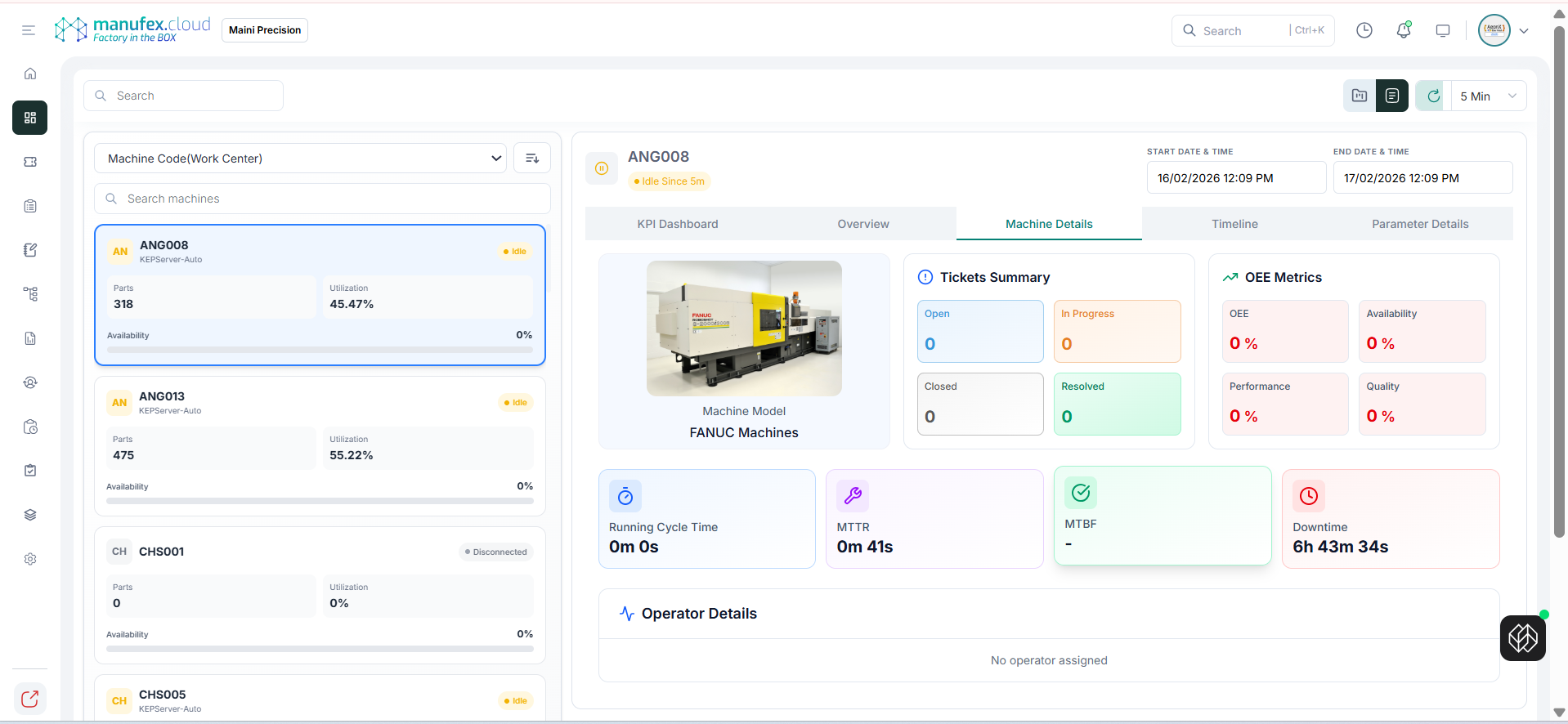
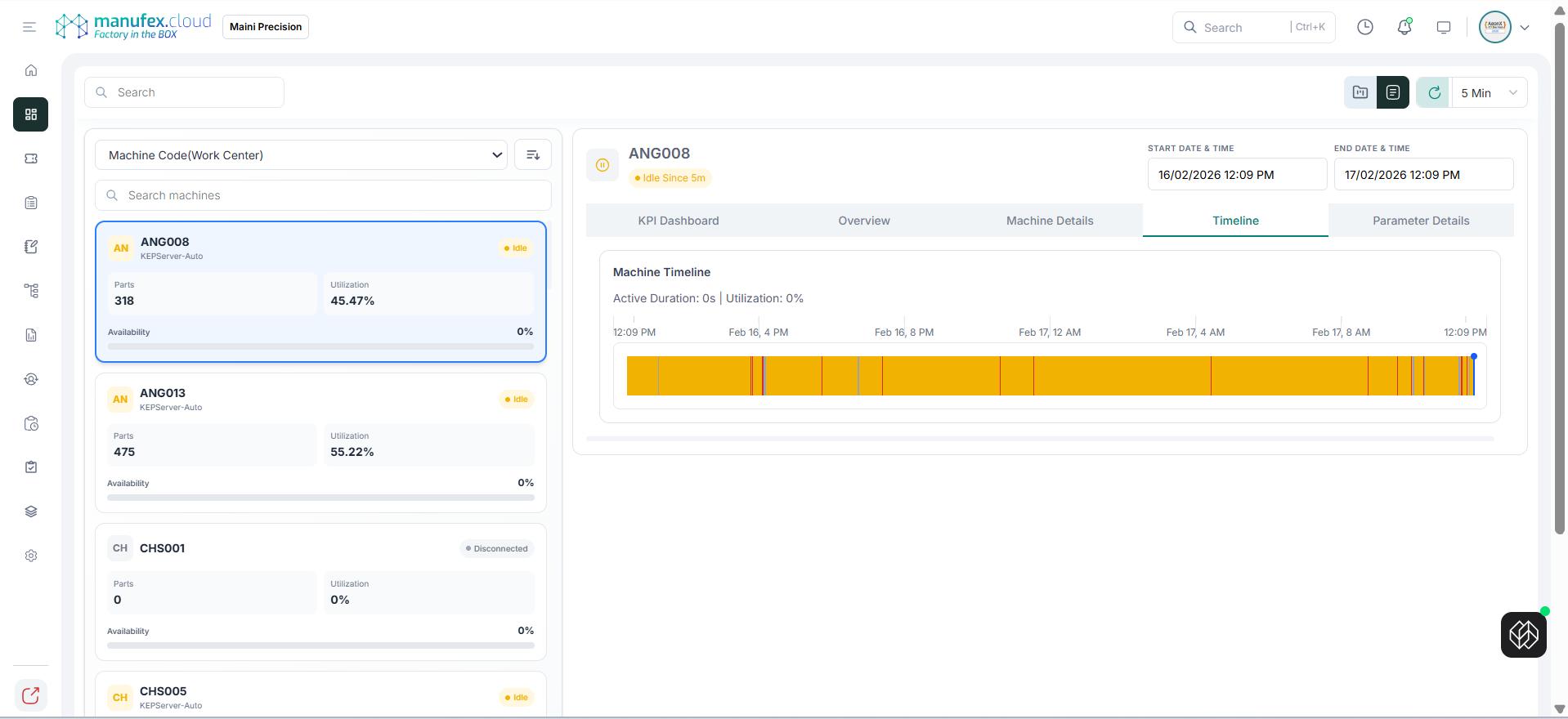
- Use tabs to switch between KPI Dashboard, Overview, Machine Details, Timeline, and Parameter Details.
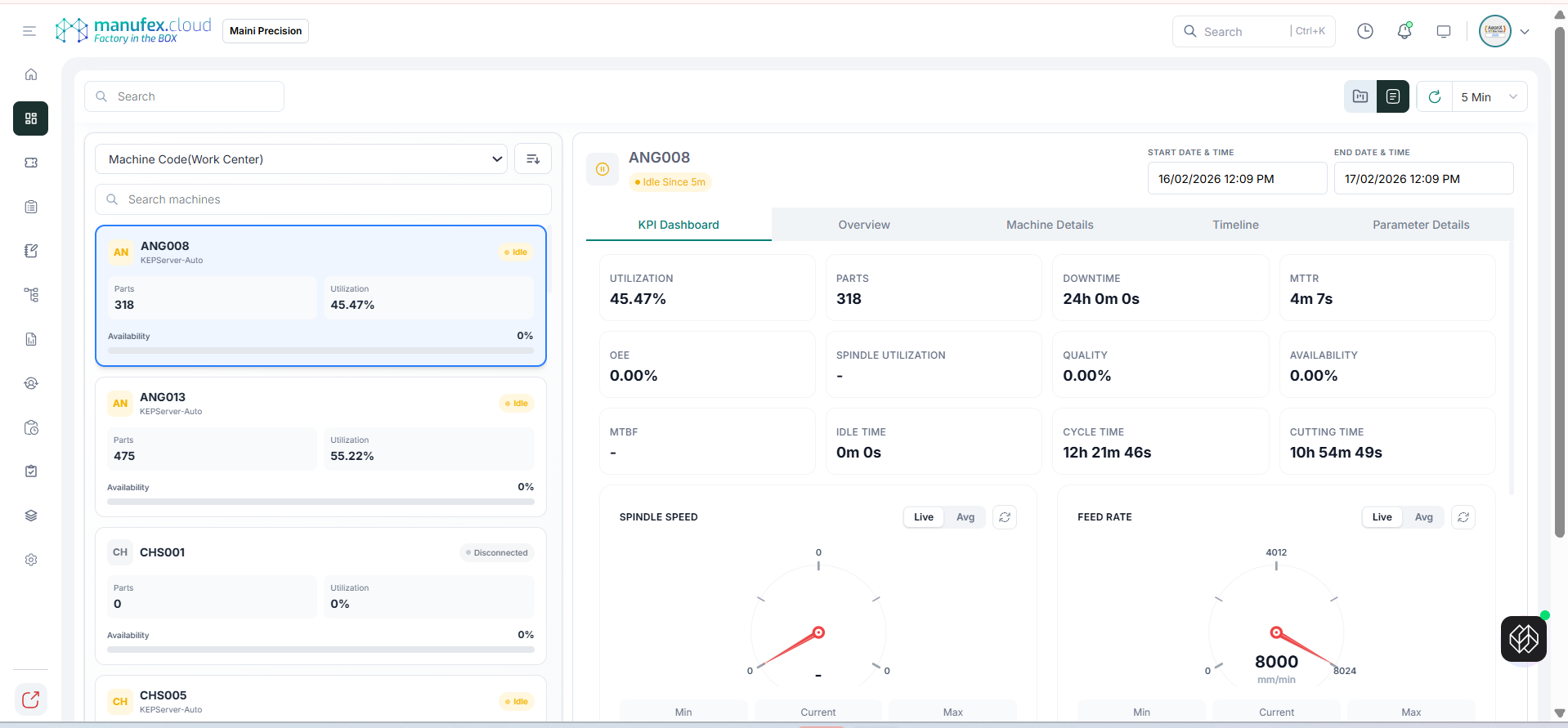
KPI Dashboard
Overview
Machine Details
Timeline
Parameter Details