Shopfloor Insights
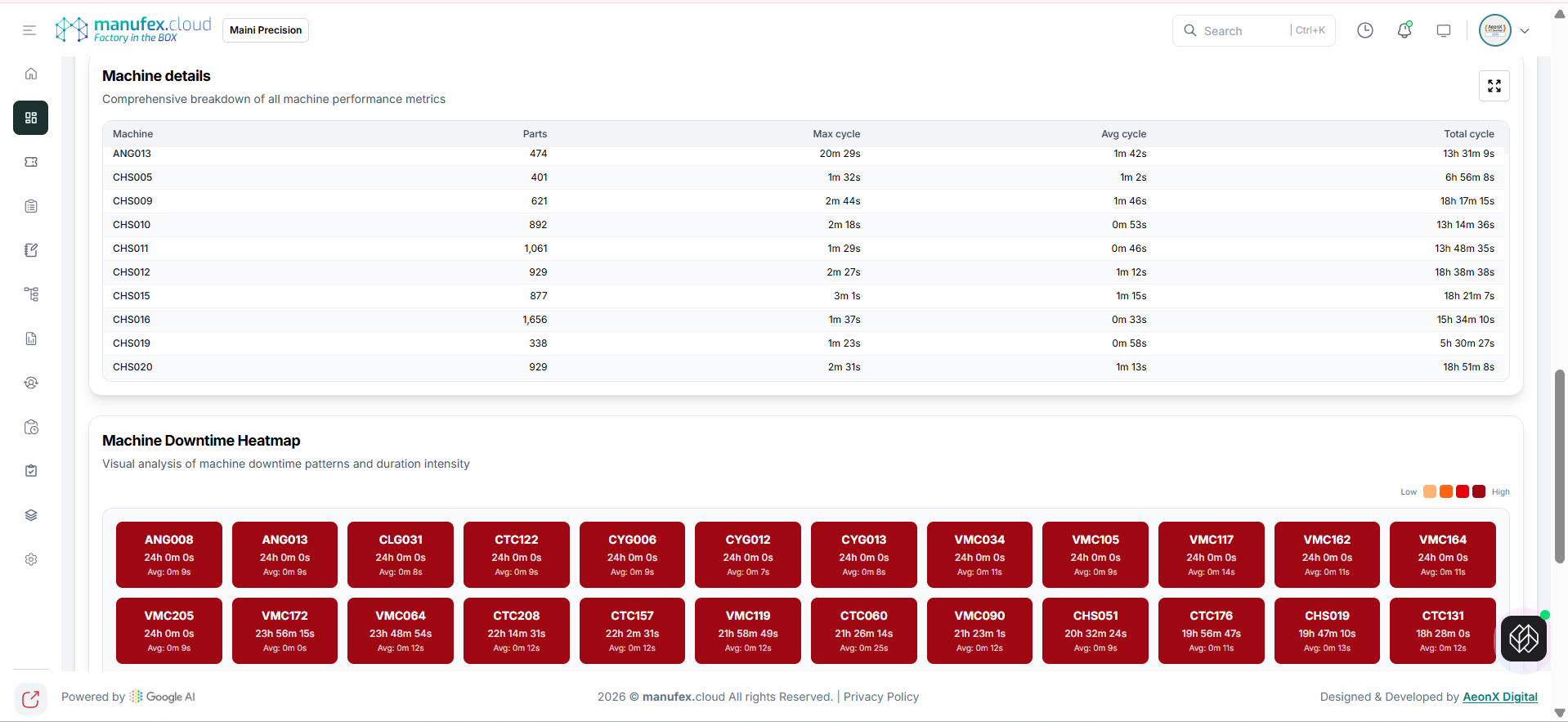
Use Shopfloor Insights to analyze parts produced and cycle time KPIs across machines.
View Shopfloor Insights dashboard
- In the left sidebar, go to Dashboard > Factory Monitoring > Shopfloor Insights.
- Set Start Date & Time and End Date & Time.
- Review Total parts produced, overall average cycle time, and top machines.
View treemap and cycle-time analysis
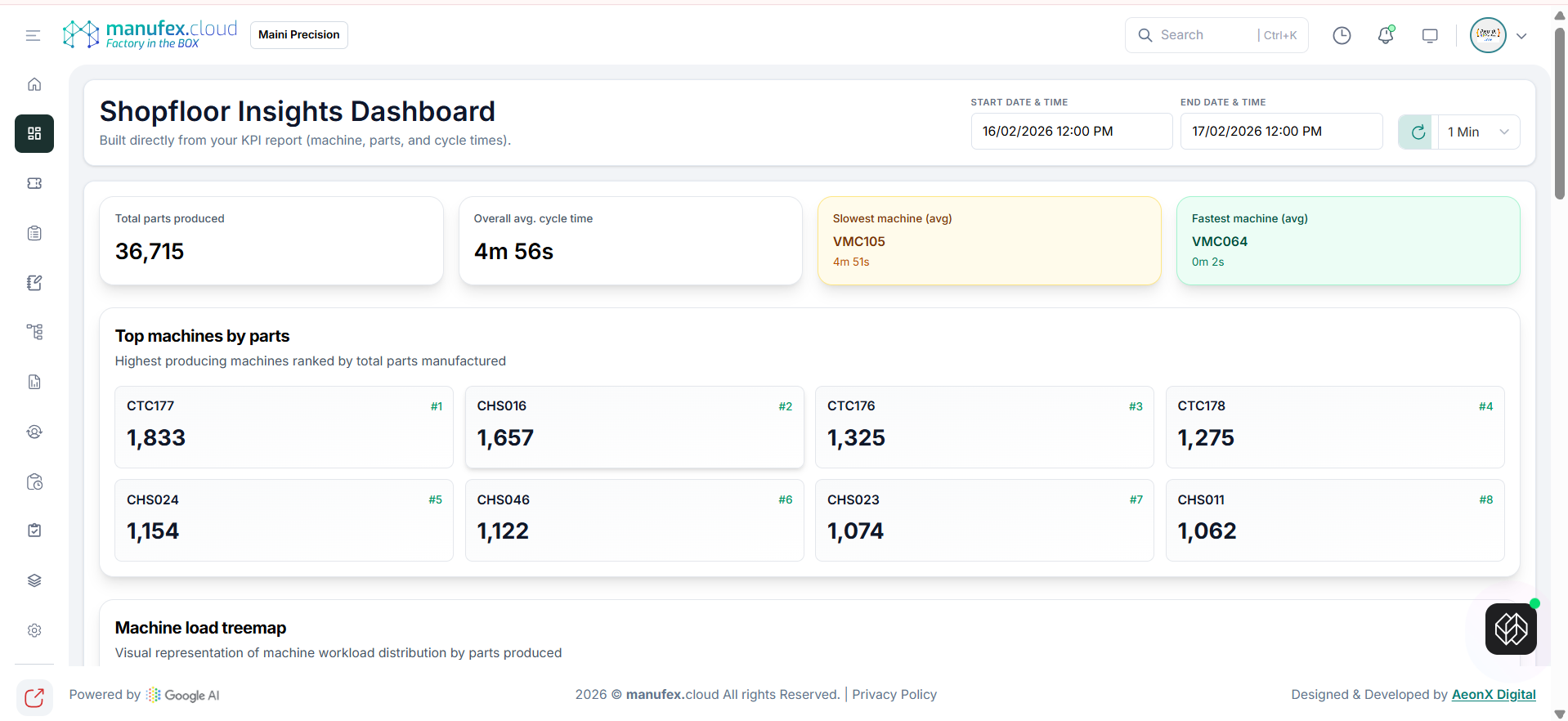
- Scroll to the Machine Load Treemap and cycle-time sections.
View machine details and downtime heatmap
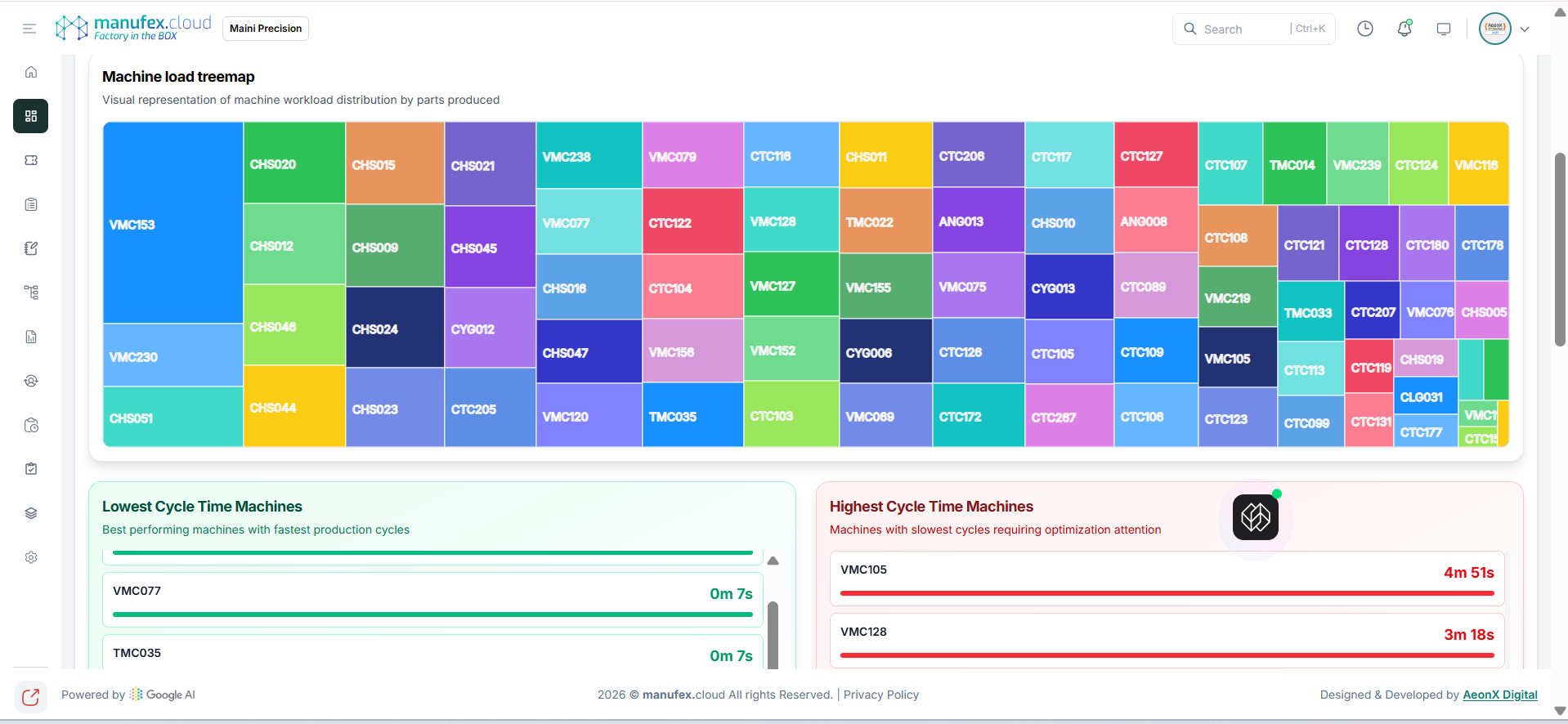
- Scroll to Machine Details and the Machine Downtime Heatmap.