Bill Of Materials
Use Bill Of Materials to define the raw material set and quantities needed to produce a finished good.
View bill of materials:
1. Go to Masters > Bill Of Materials.
2. Use Search or Filters to find a BOM.
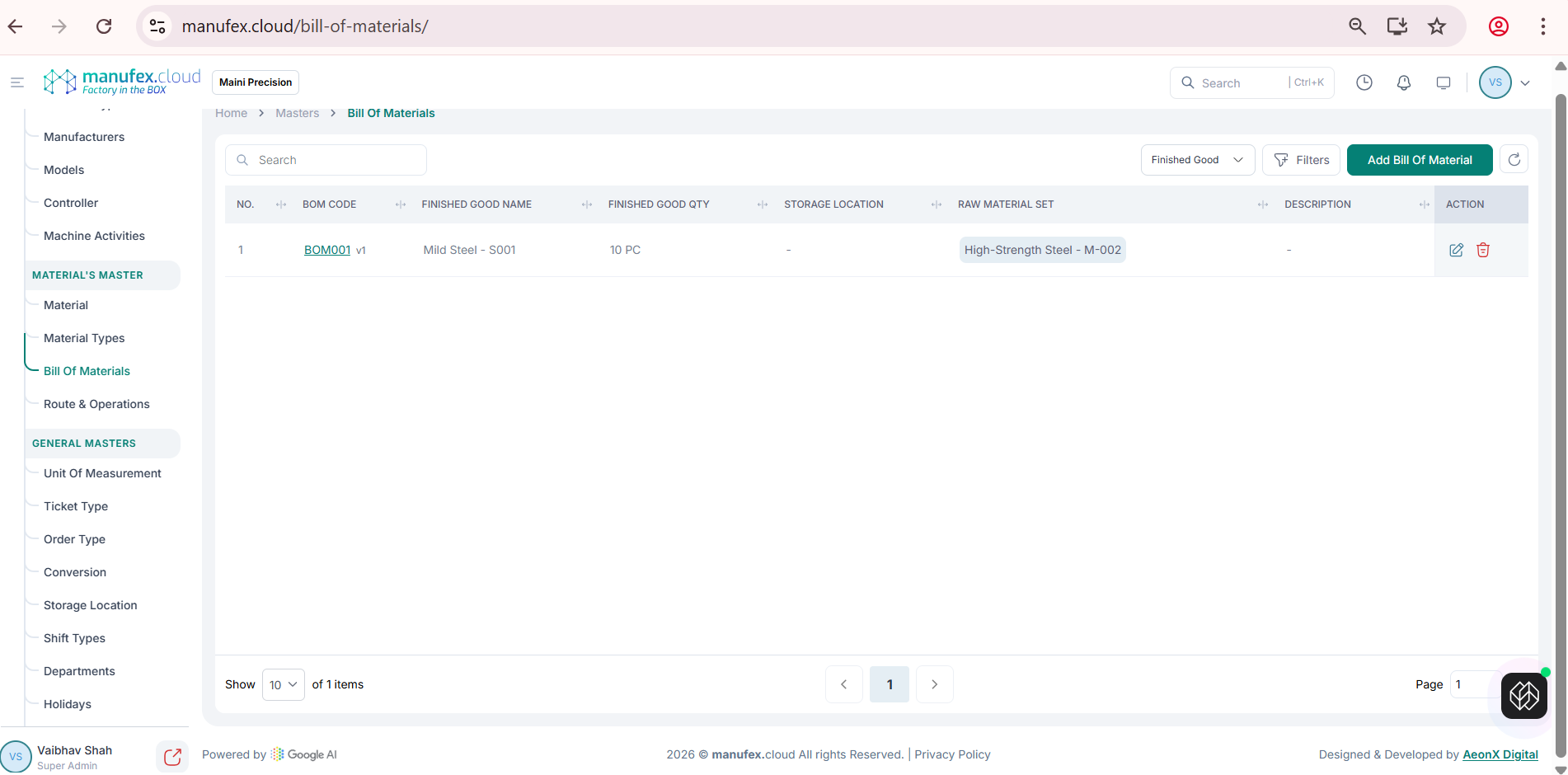
Add a bill of material:
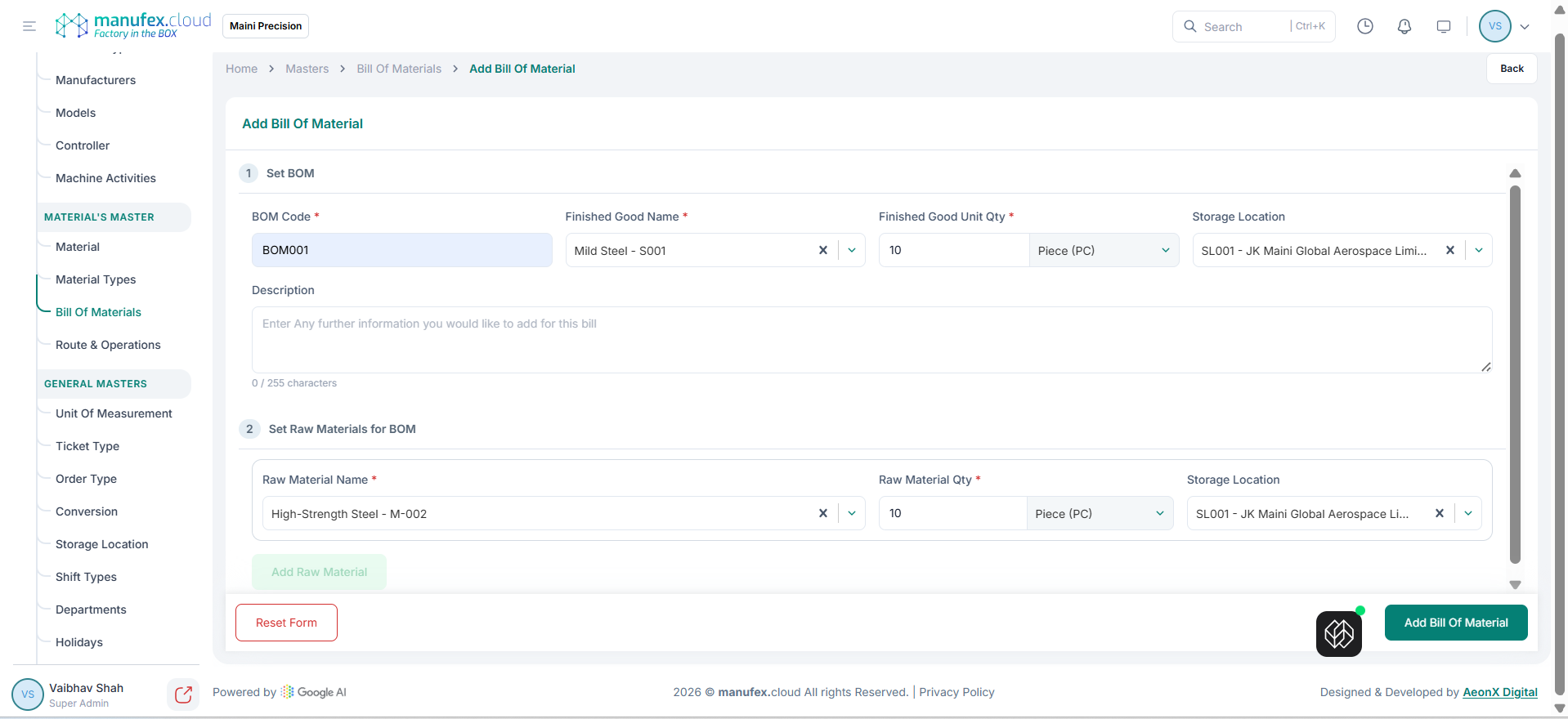
1. Click Add Bill Of Material.
2. Enter BOM Code, Finished Good Name, Finished Good Unit Qty, and Storage Location. Optionally add Description.
3. Under Set Raw Materials for BOM, select Raw Material Name, enter Raw Material Qty and Storage Location, then click Add Raw Material for each item.
4. Click Add Bill Of Material to save.
Edit a bill of material: 1. Click Edit in the Action column. 2. Update fields and raw materials as needed. 3. Click Update Bill Of Material.
Delete a bill of material: 1. Click Delete in the Action column. 2. Confirm Delete Permanently.