Machines
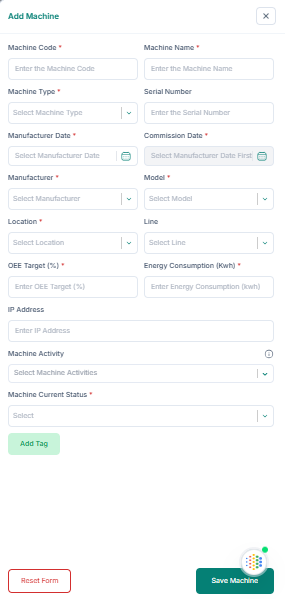
Add a machine (fill the form):
1. Enter the Machine Code and Machine Name.
2. Select the Machine Type.
3. Fill Serial Number (optional), Manufacture Date, and Commission Date.
4. Select Manufacturer, Model, Location, and Line (optional).
5. Enter OEE Target (%), Energy Consumption (kWh), and IP Address (optional).
6. Select Machine Activity (optional) and Current Status.
7. Optional: click Add Tags, enter Key and Value, then save.
8. Click Save Machine.
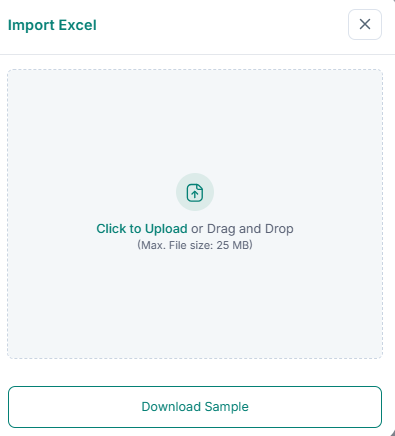
Import with Excel:
1. Download the sample file.
2. Fill in all machine data in the Excel file.
3. Upload the file to the system.
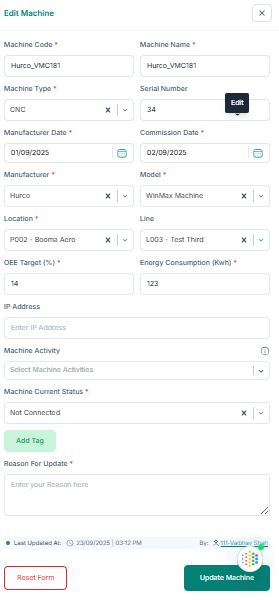
Edit a machine:
1. Click Edit in the Action column.
2. Update fields and provide a reason for update.
3. Click Update Machine.
Delete a machine: 1. Click Delete in the Action column. 2. Click Delete Permanently.