Route & Operations
Use Route & Operations to define the production route, operations, and raw materials required for a finished good.
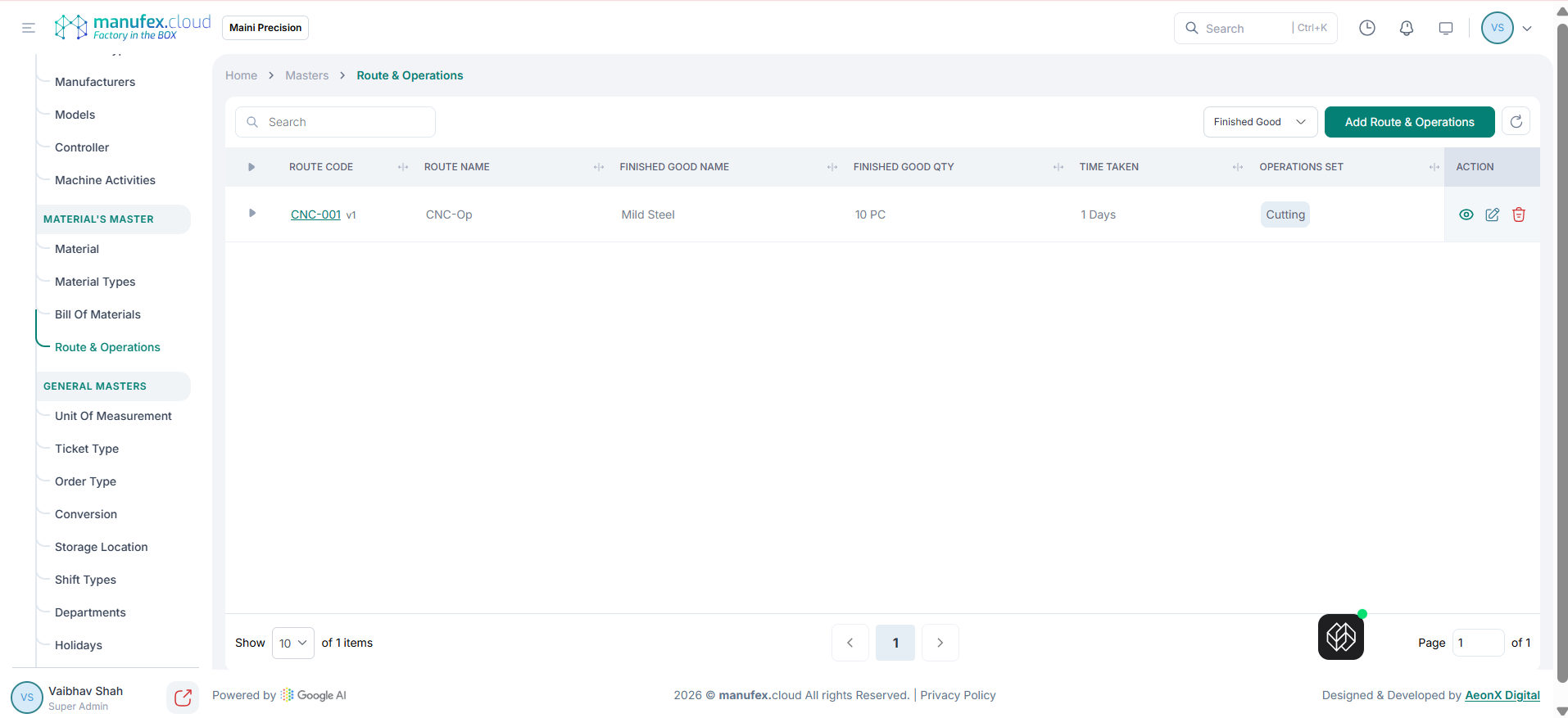
View routes & operations:
1. Go to Masters > Route & Operations.
2. Use Search or filter by Finished Good to find a route.
Add a route & operations:
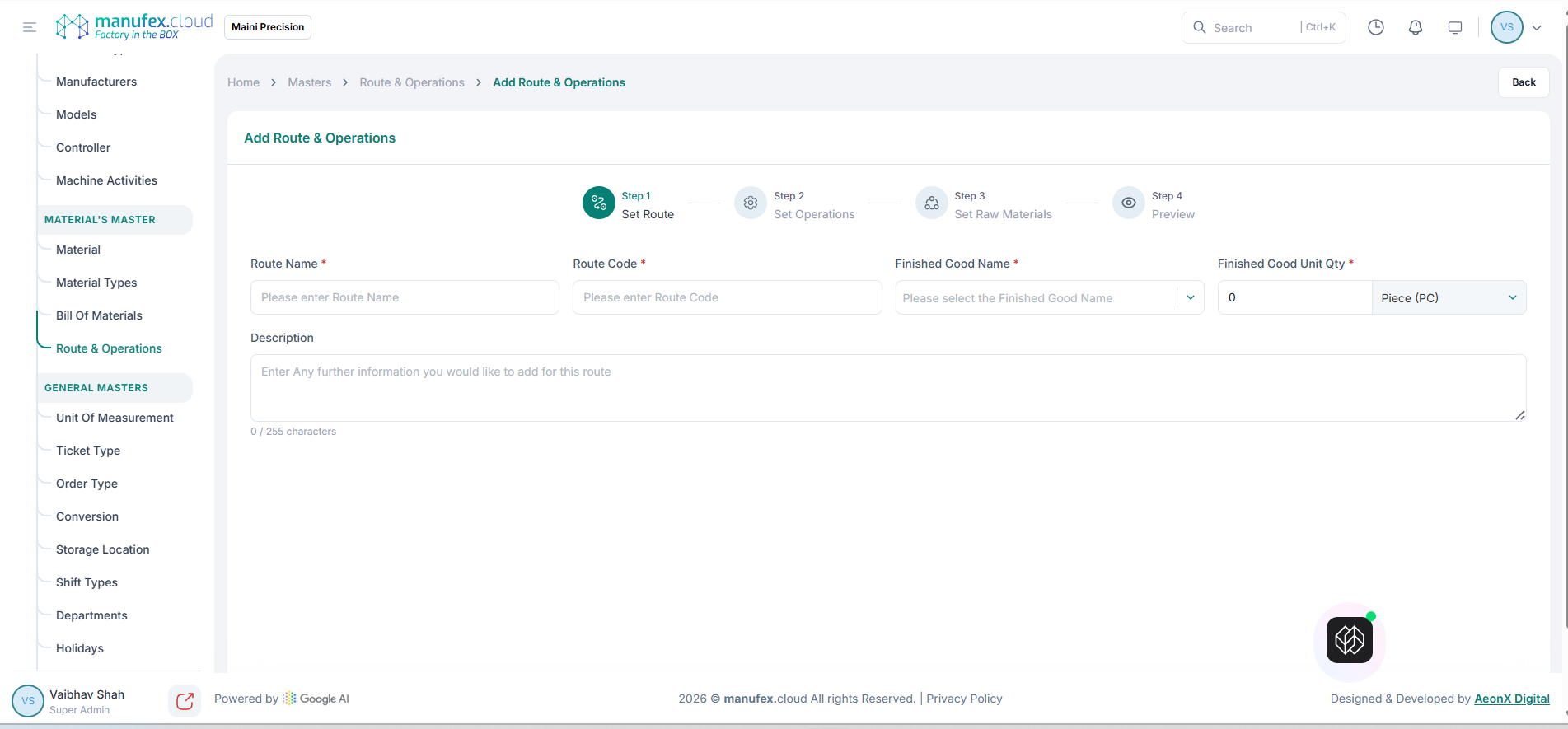
1. Click Add Route & Operations.
2. In Step 1 (Set Route), enter Route Name, Route Code, select Finished Good Name, enter Finished Good Unit Qty, and add Description if needed.
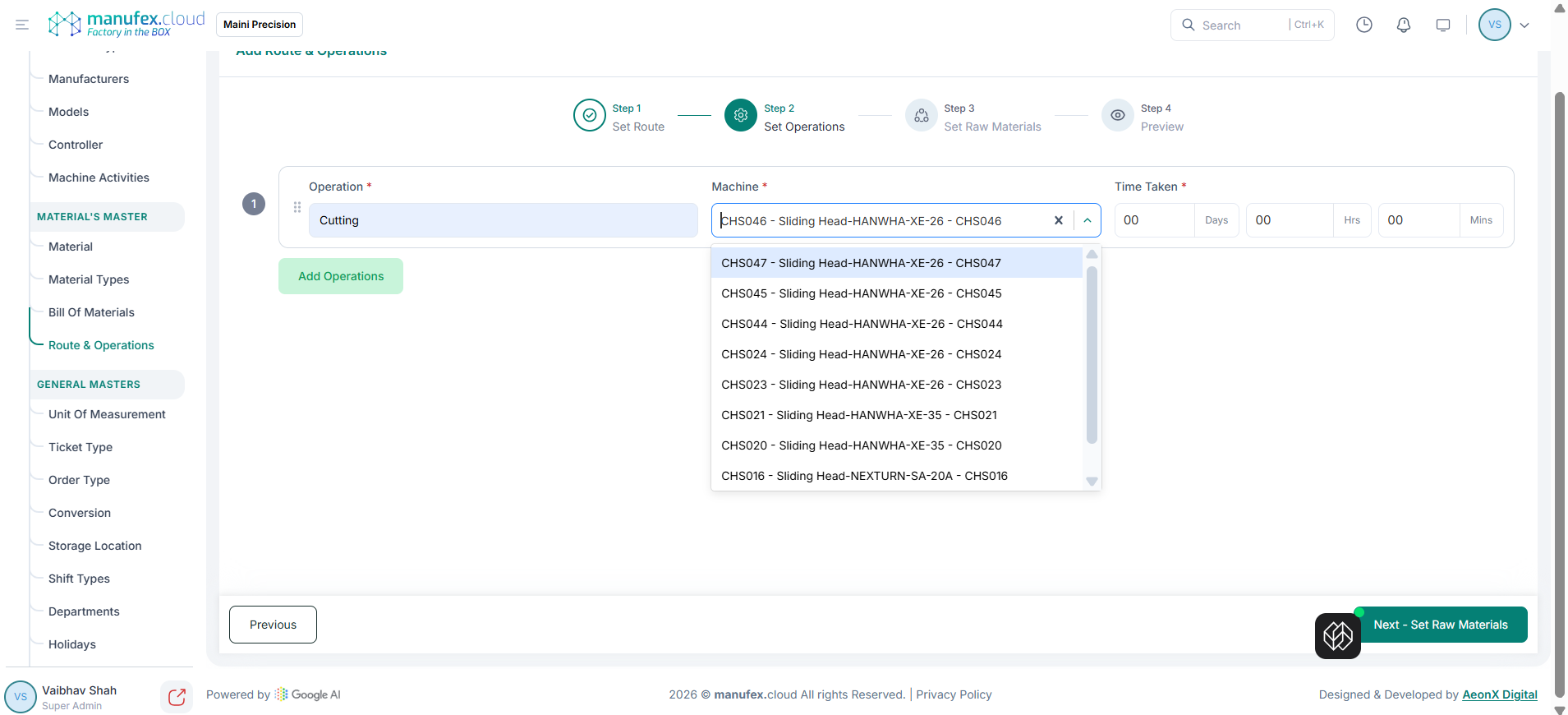
 3. In Step 2 (Set Operations), select Operation and Machine, enter Time Taken, then click Add Operations for each step.
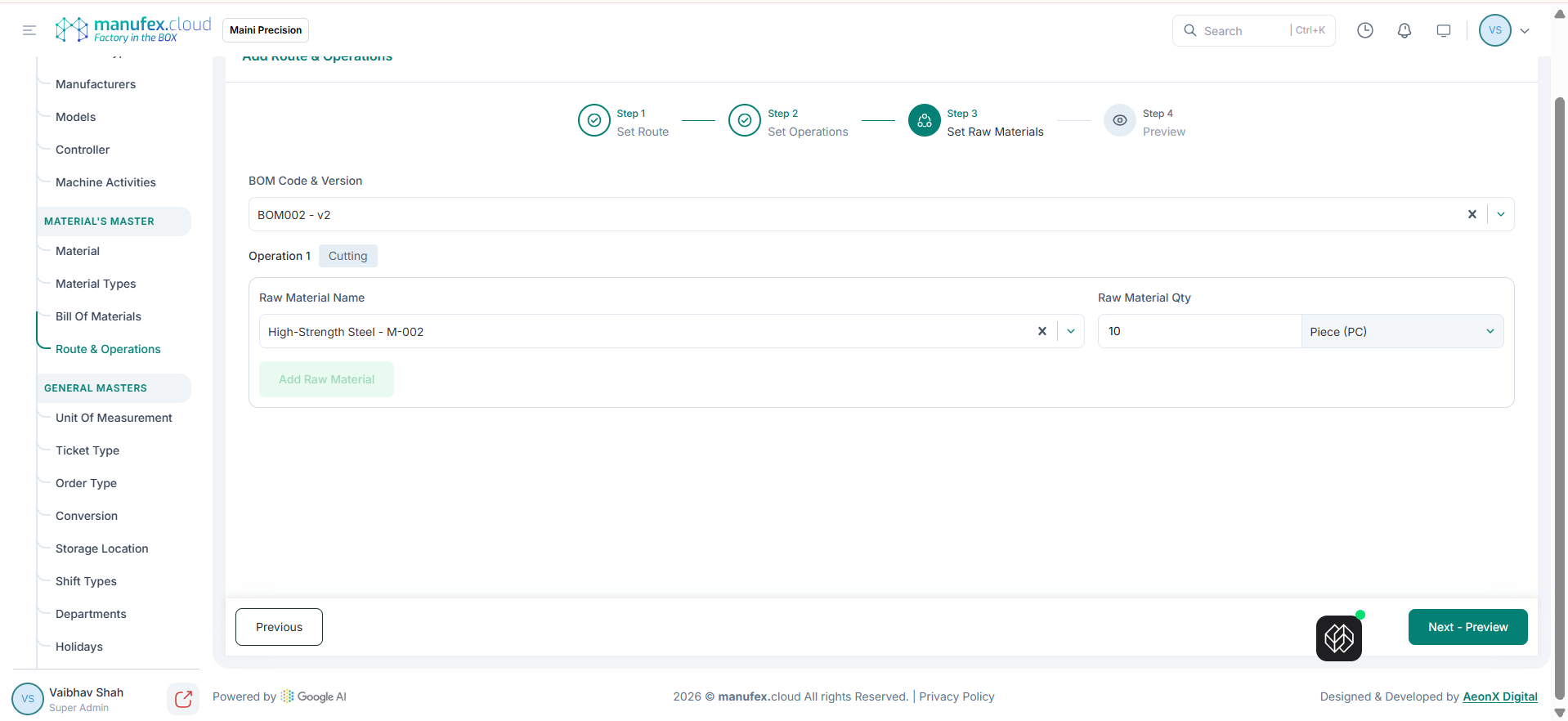
 4. In Step 3 (Set Raw Materials), select BOM Code & Version, set Raw Material Name and Raw Material Qty for each operation, then click Add Raw Material.
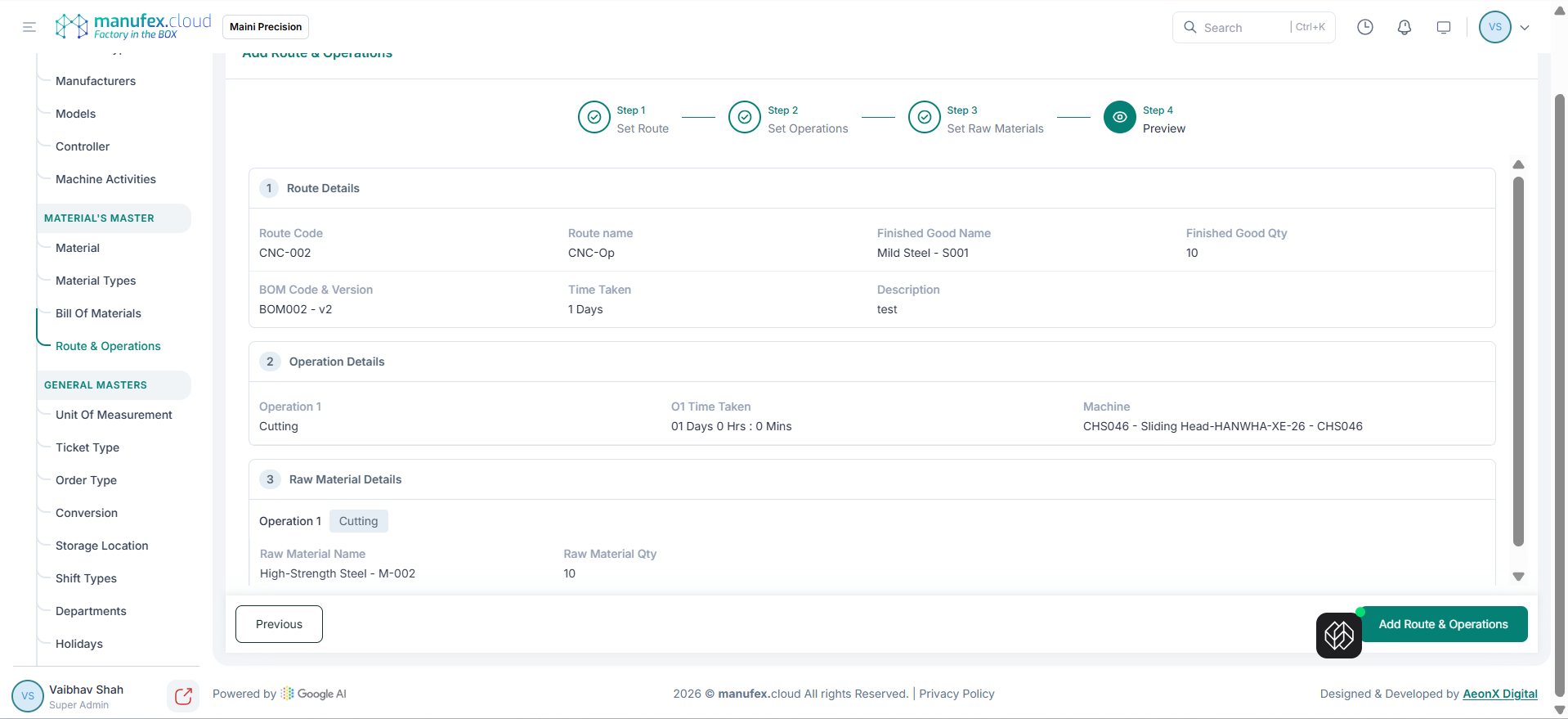
 5. In Step 4 (Preview), review Route Details, Operation Details, and Raw Material Details, then click Add Route & Operations to save.
Edit a route & operations: 1. Click Edit in the Action column. 2. Update route details, operations, or raw materials. 3. Click Update Route & Operations.
Delete a route & operations: 1. Click Delete in the Action column. 2. Confirm Delete Permanently.