Shift Types
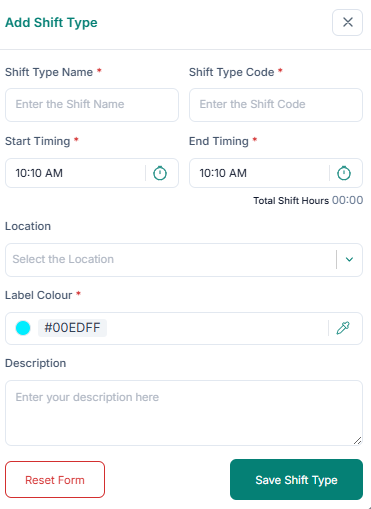
Add shift types:
1. Enter Shift Type Name and Shift Type Code.
2. Set Start Timing and End Timing.
3. Select Location and Label Color.
4. Add Description.
5. Click Save Shift Types.
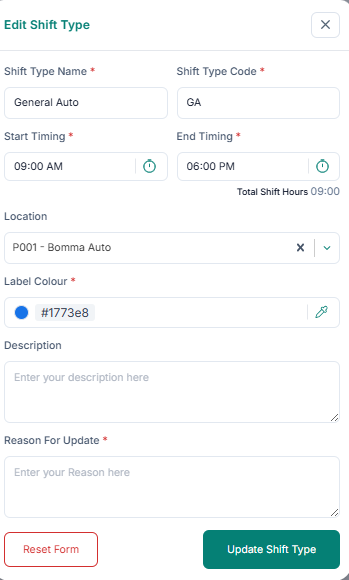
Edit shift types:
1. Click Edit in the Action column.
2. Update fields and provide a reason for update.
3. Click Update Shift Type.
Delete shift types: 1. Click Delete in the Action column. 2. Click Delete Permanently.