Workflow
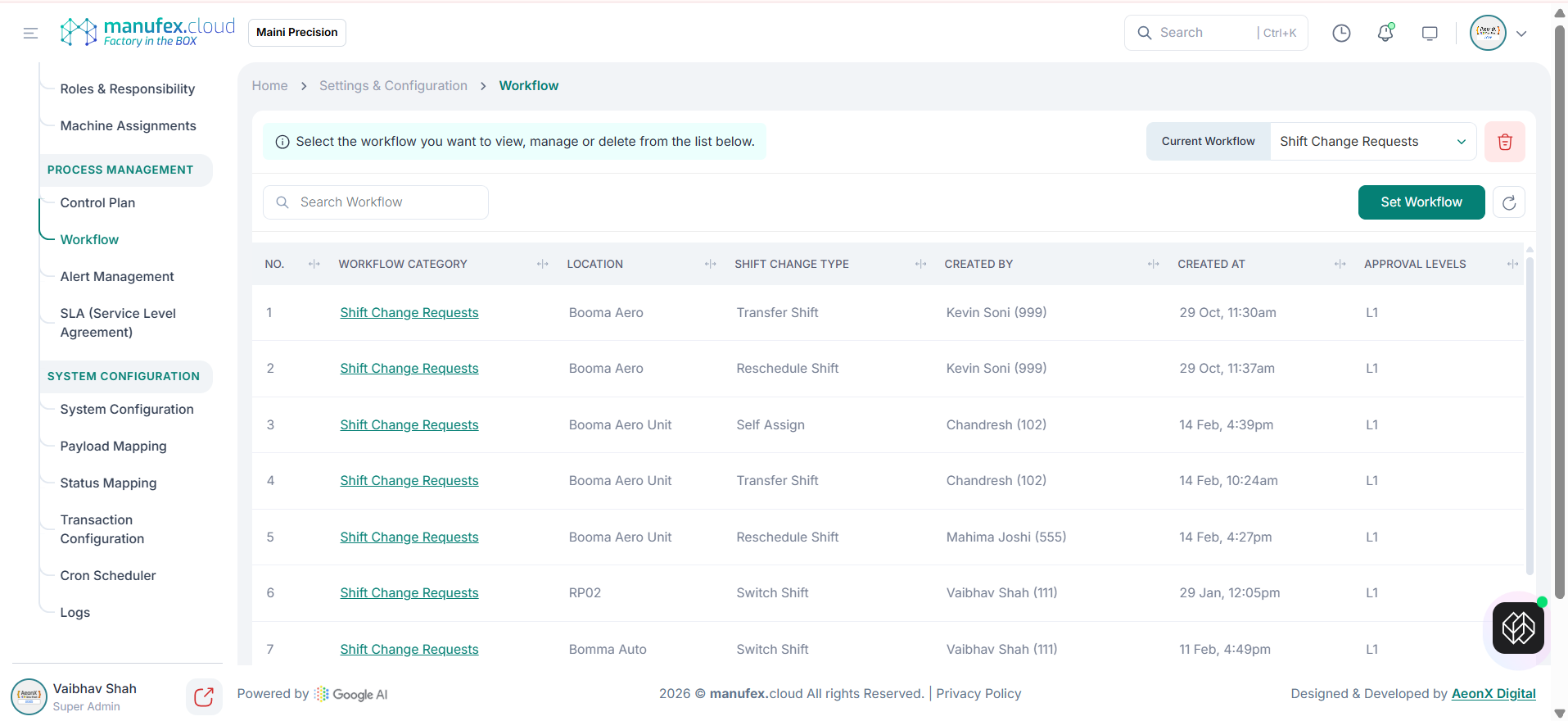
Use Workflow to configure approval flows for specific workflow categories.
View workflows:
1. In the left sidebar, go to Settings & Config > Process Management > Workflow.
2. Use Search Workflow to find a workflow.
Set a workflow:
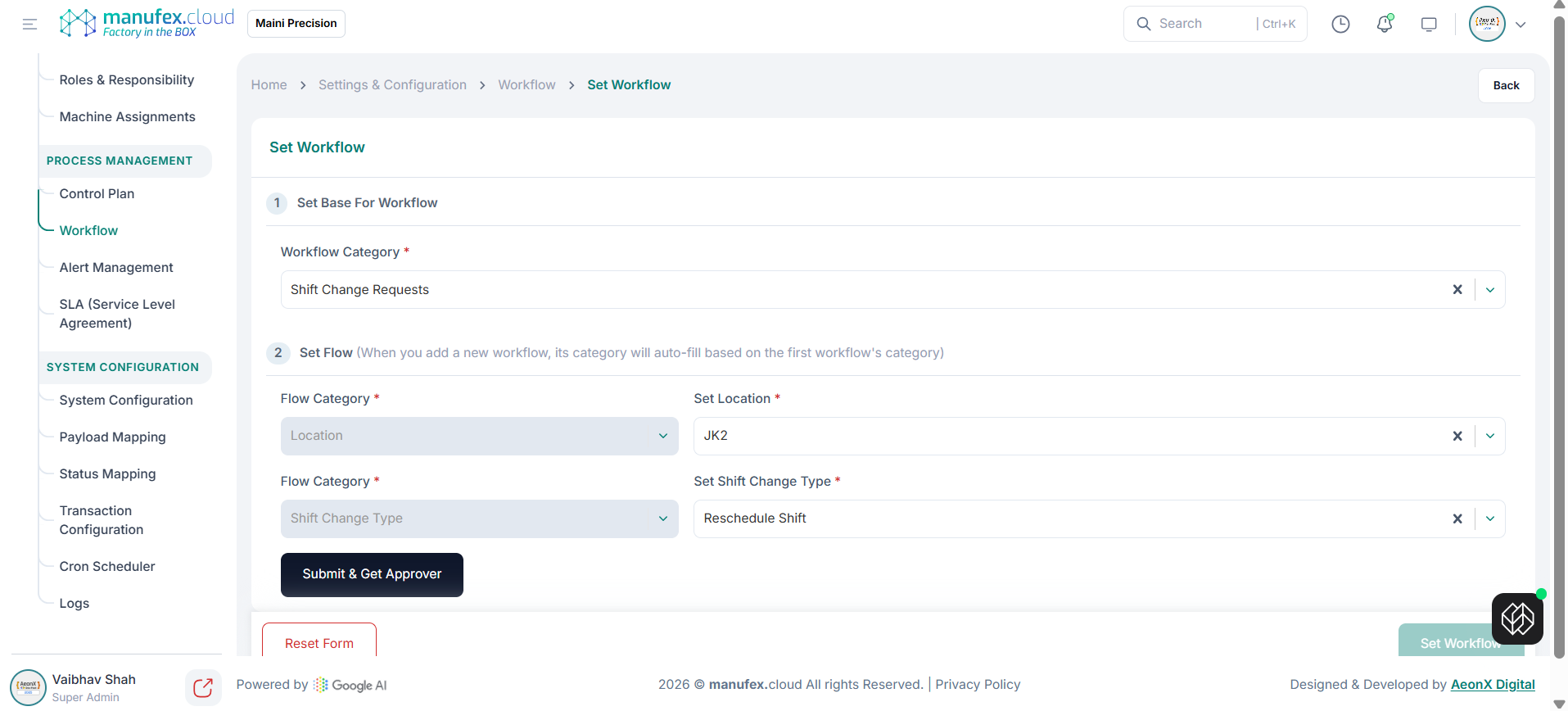
1. Click Set Workflow.
2. Step 1 (Set Base For Workflow): select the Workflow Category.
3. Step 2 (Set Flow): select flow categories and set values (for example Location and Shift Change Type), then click Submit & Get Approver.
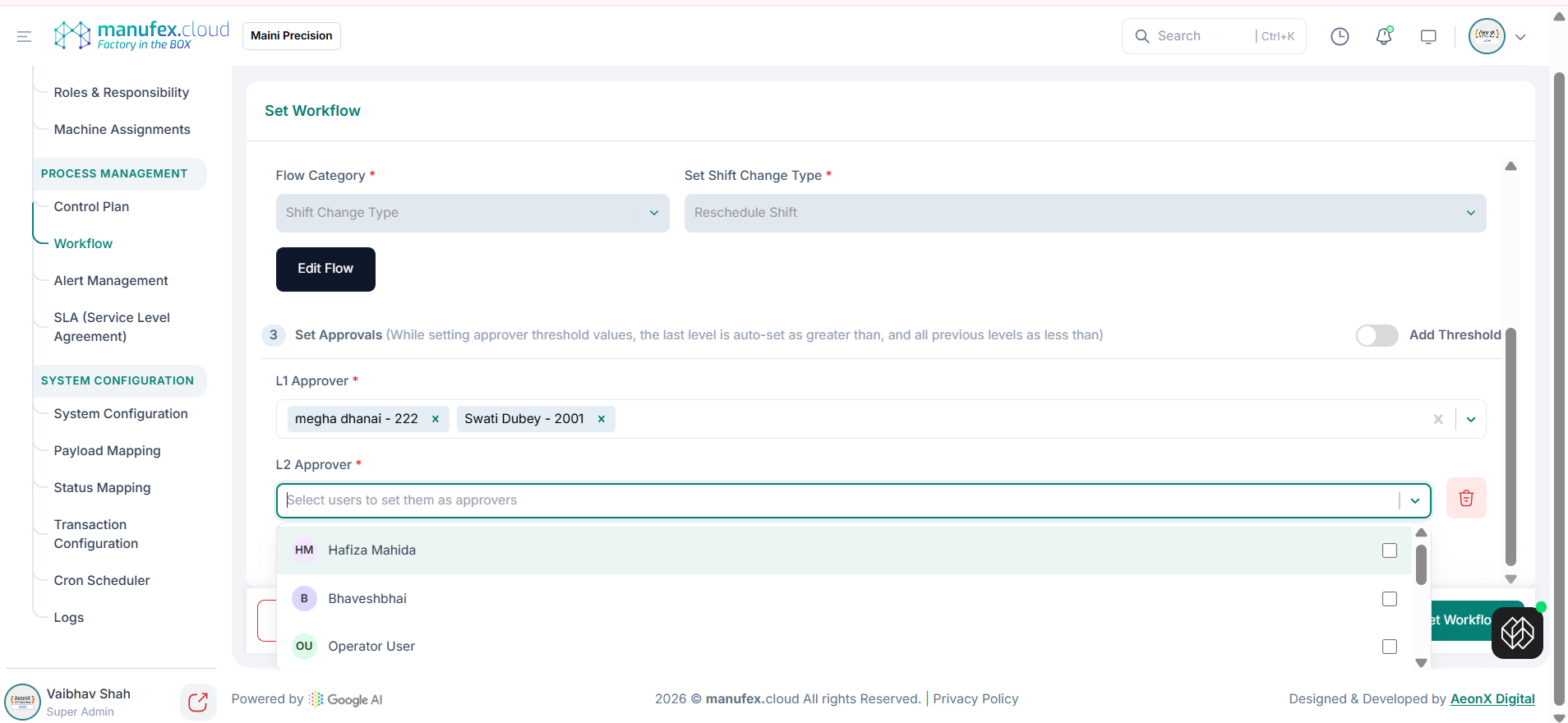
 4. Step 3 (Set Approvals): select approvers for each level and click Add Approver. Enable Add Threshold to configure threshold values if required.
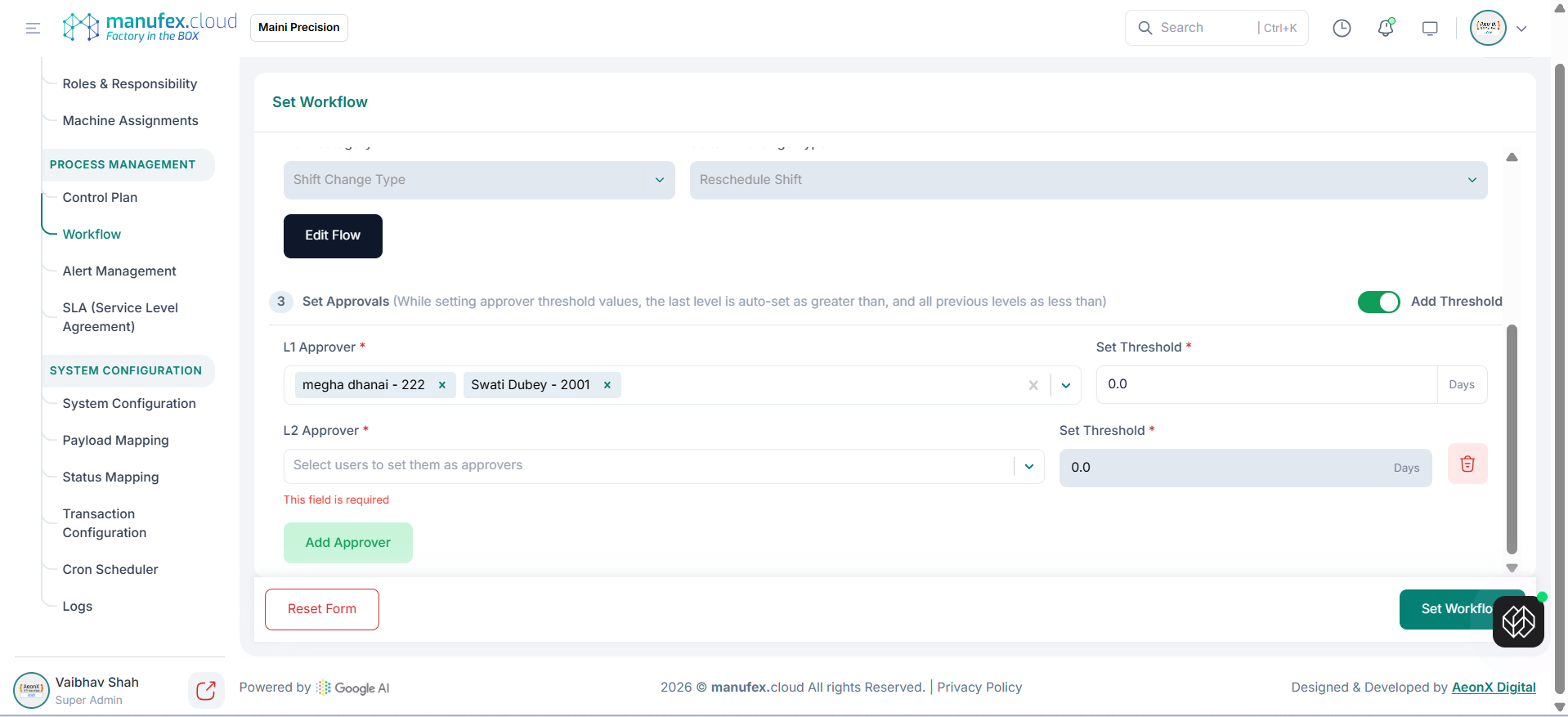 5. Click Set Workflow to save.
Edit a workflow: 1. Open the workflow and click Set Workflow. 2. Update the flow or approval levels. 3. Click Set Workflow to save.
Delete a workflow: 1. Select the workflow to remove. 2. Click the Delete icon and confirm.