Payload Mapping
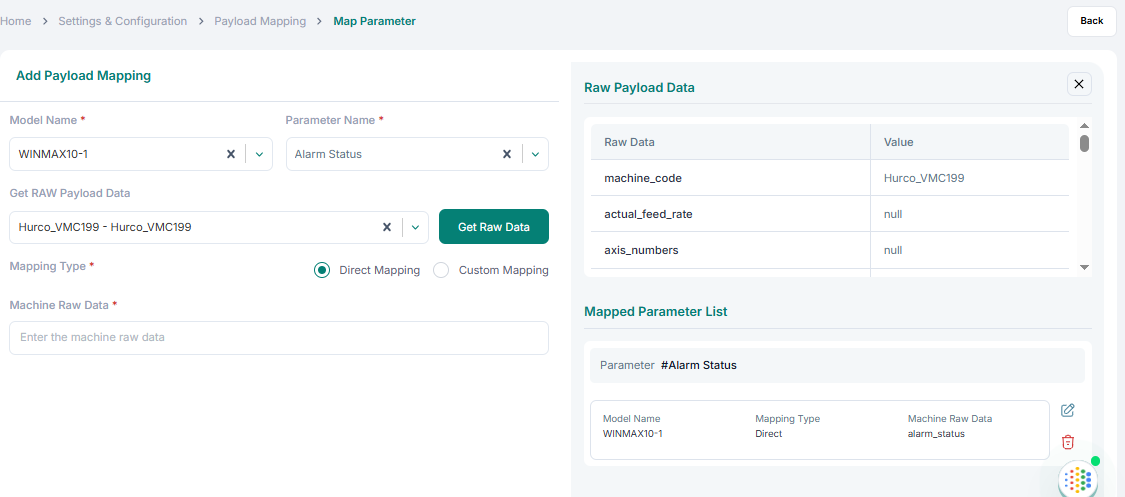
Payload mapping is used to map parameters.
To add a payload mapping:
1. Select the Model Name and Parameter Name.
2. Click Get Raw Payload Data. The raw payload data appears on the right side for reference.
3. Copy the name from the reference or type the same name into Machine Raw Data.
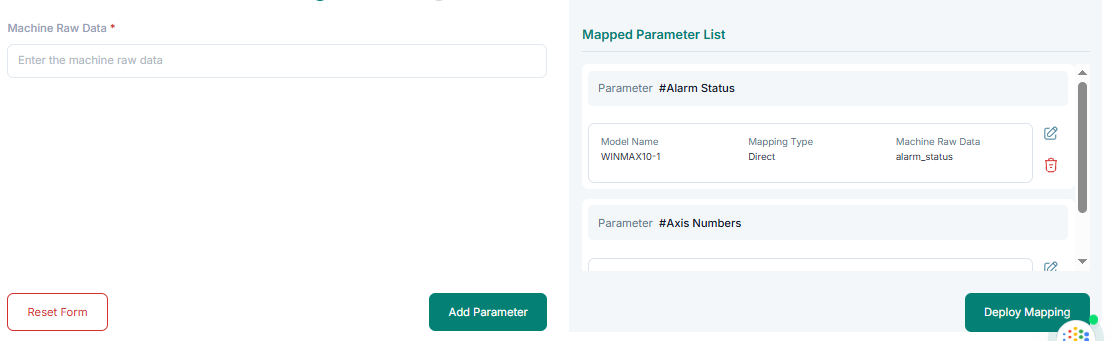
4. Click Add Parameter. Repeat for all required parameters.
5. Edit or delete parameters using the Edit and Delete buttons.
6. Click Deploy Mapping to finalize.