Cron Scheduler
Use Cron Scheduler to create and manage scheduled jobs (cron jobs) that run automatically at defined times.
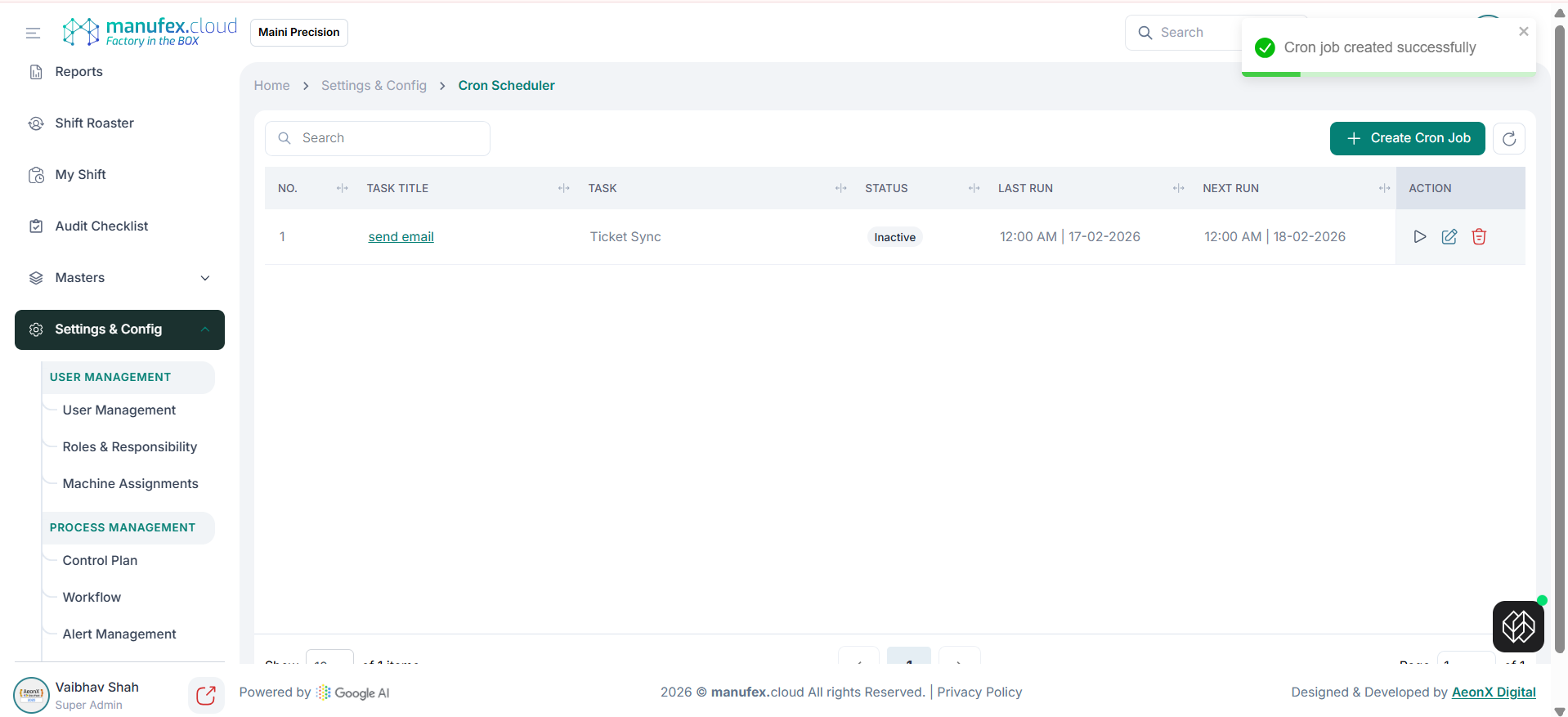
View cron jobs:
1. In the left sidebar, go to Settings & Config > System Configuration > Transaction Configuration > Cron Scheduler.
2. Use Search to find a job.
3. Review Task Title, Task, Status, Last Run, and Next Run.
Create a cron job:
1. Click Create Cron Job.
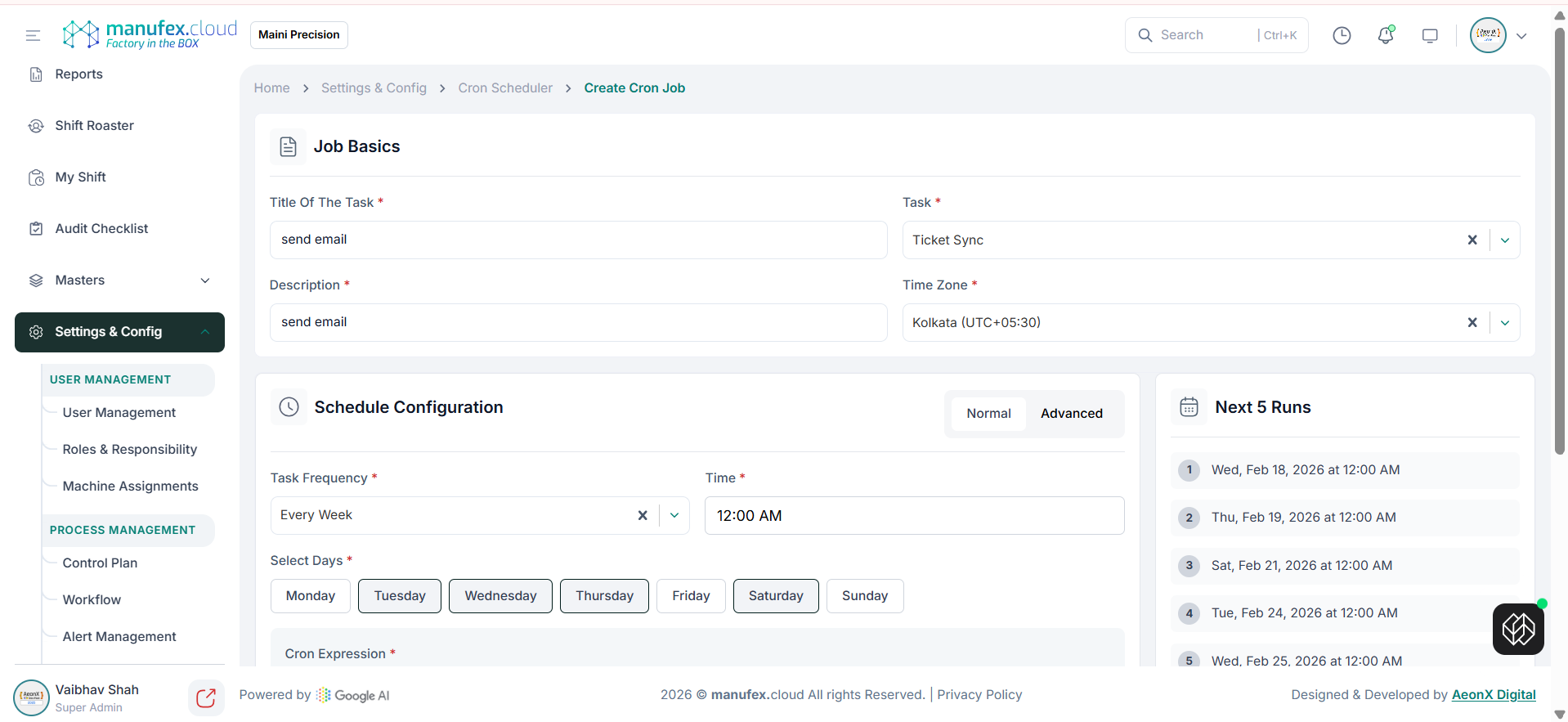
2. In Job Basics, enter Title of the Task, select Task, enter Description, and select Time Zone.
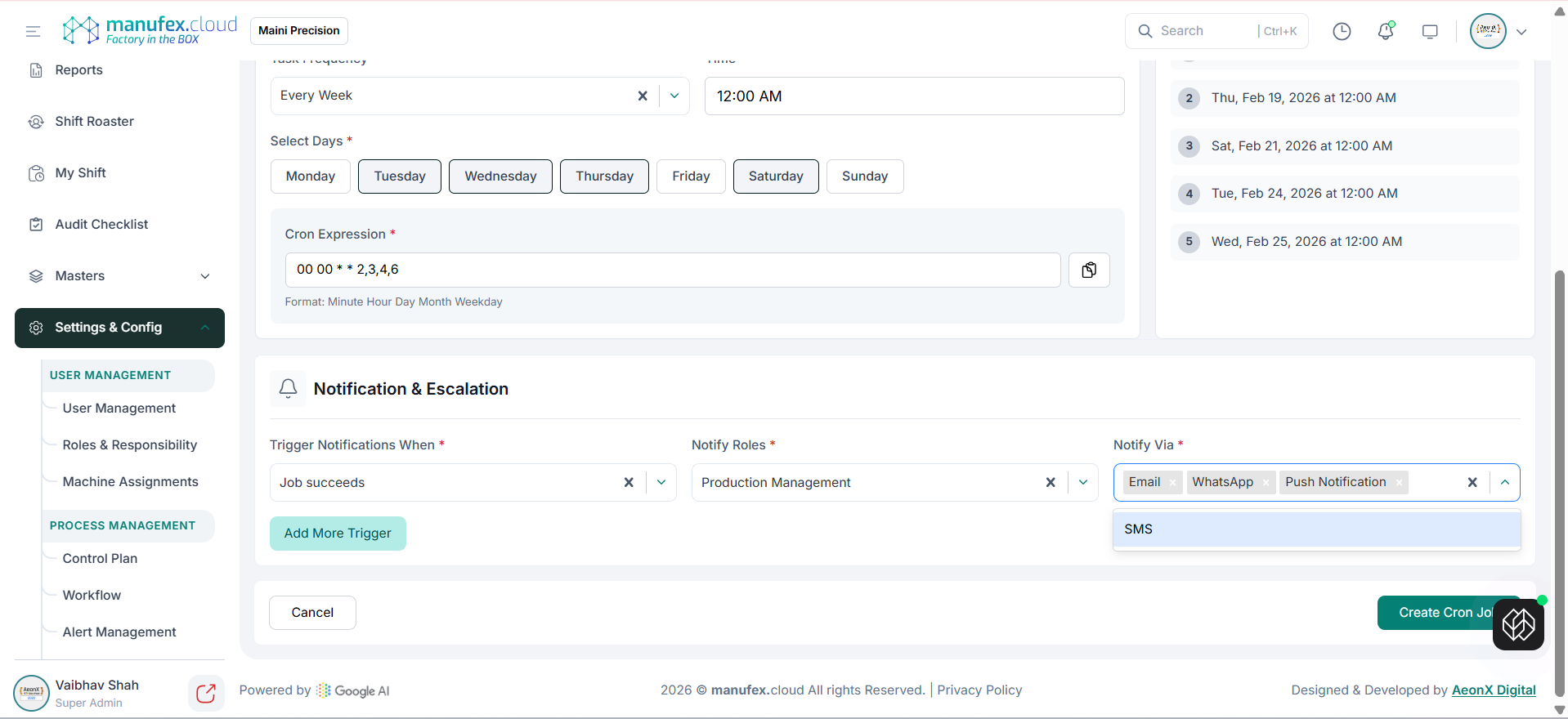
3. In Schedule Configuration, choose Normal (frequency + time + days) or Advanced (cron expression).
4. Verify the Next 5 Runs preview.
5. In Notification & Escalation, configure trigger condition, roles, and notification channels.
6. Click Create Cron Job.
Run, edit, or delete a cron job: 1. In the Action column, use Run (play) to trigger the job immediately. 2. Use Edit to update the schedule and settings. 3. Use Delete to remove the job.