Logs
Use Logs to review audit logs for changes made across modules (what changed, who changed it, and when).
View audit logs:
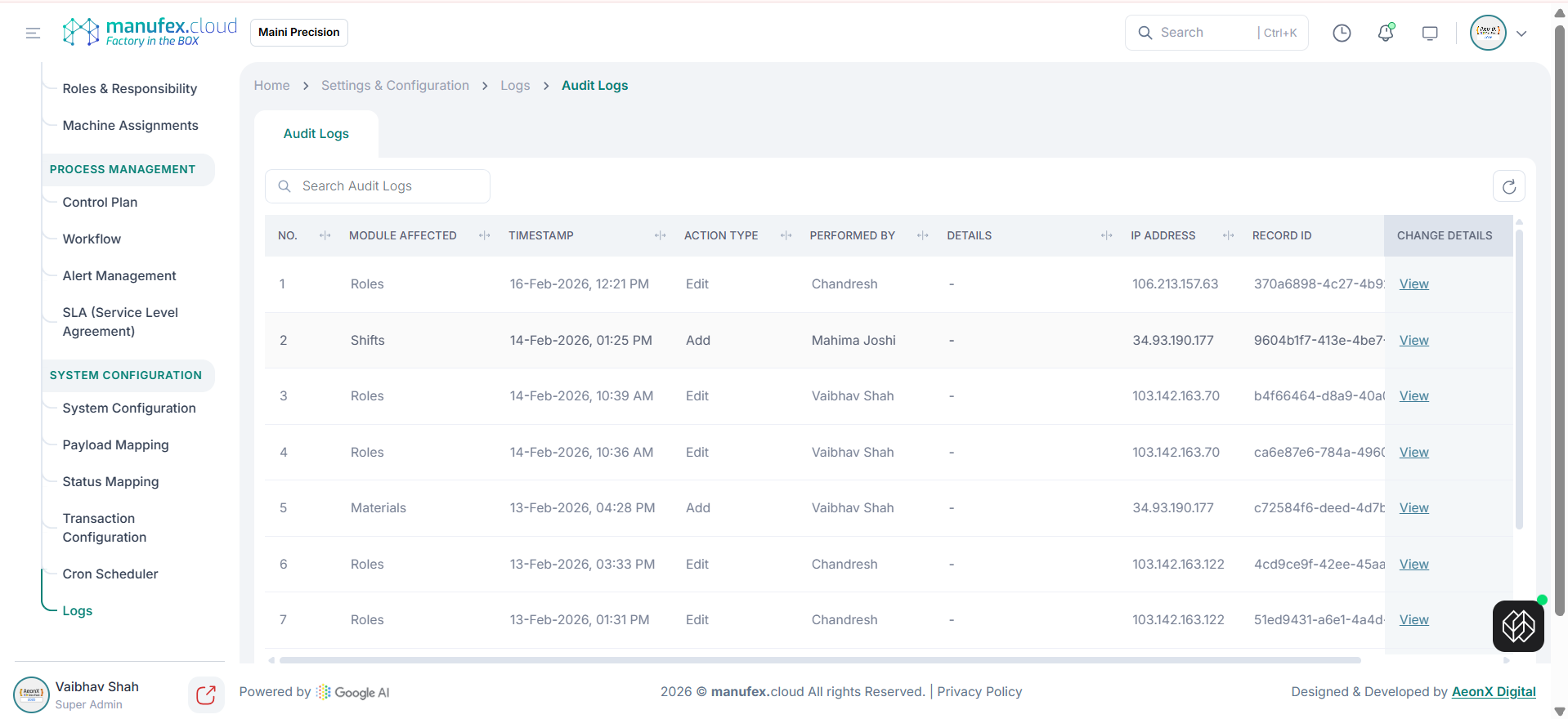
1. In the left sidebar, go to Settings & Config > System Configuration > Transaction Configuration > Logs.
2. Use Search Audit Logs to filter records.
3. Review Module Affected, Timestamp, Action Type, Performed By, IP Address, and Record ID.
View change details:
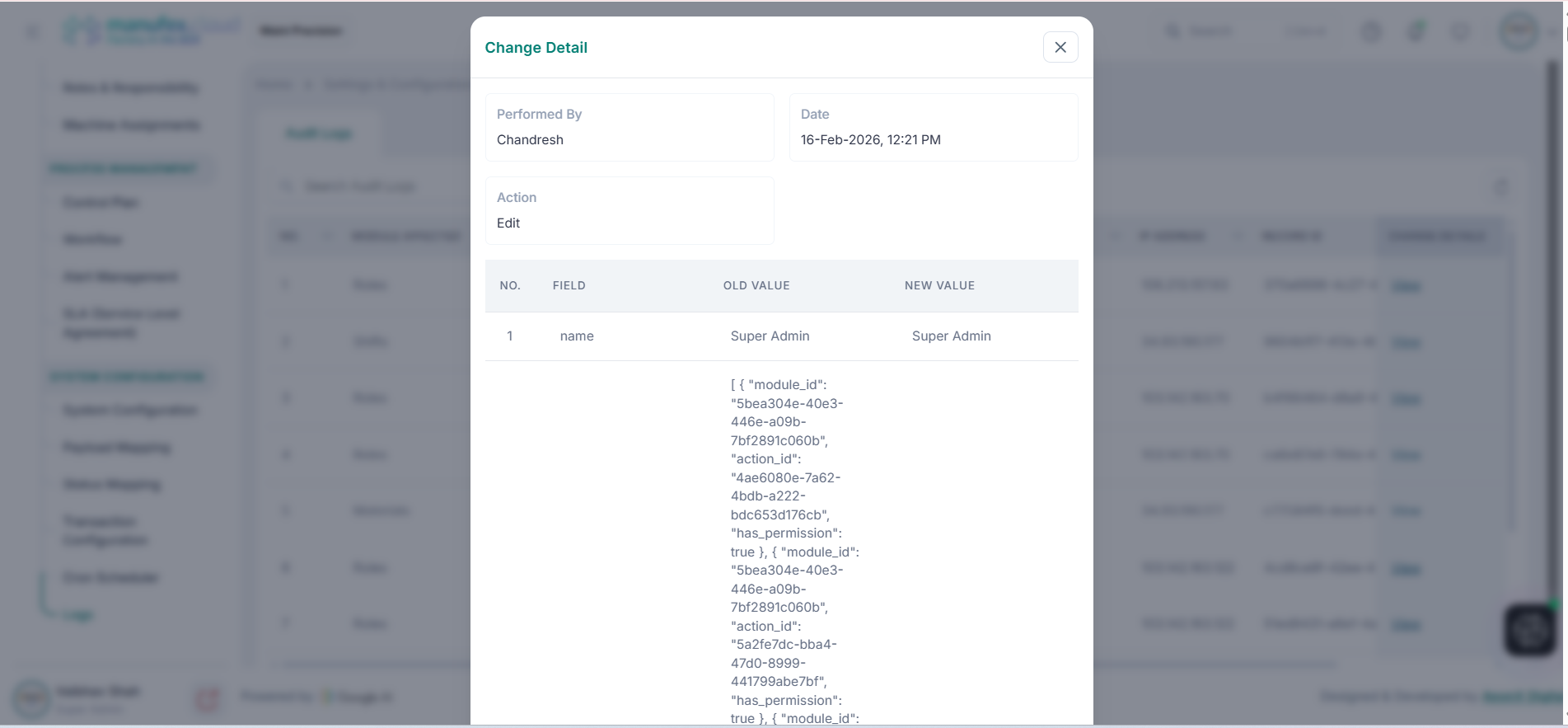
1. In the Change Details column, click View.
2. Review Performed By, Date, Action, and field-level Old Value vs New Value.