Machine Assignments
Use Machine Assignments to map operators and machines.
View machine assignments:
1. In the left sidebar, go to Settings & Config > User Management > Machine Assignments.
2. Use the Operator to Machines or Machine to Operators tab to view mappings.
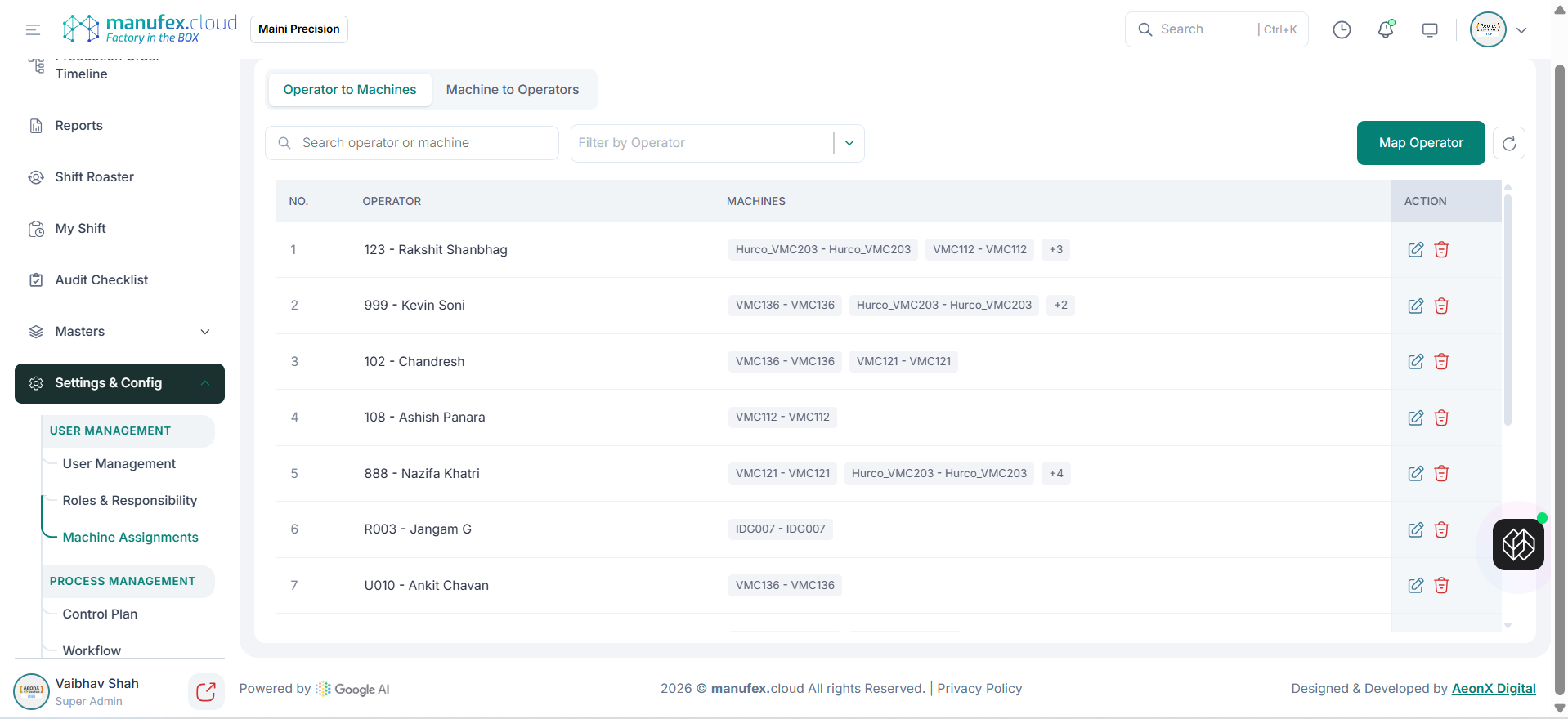
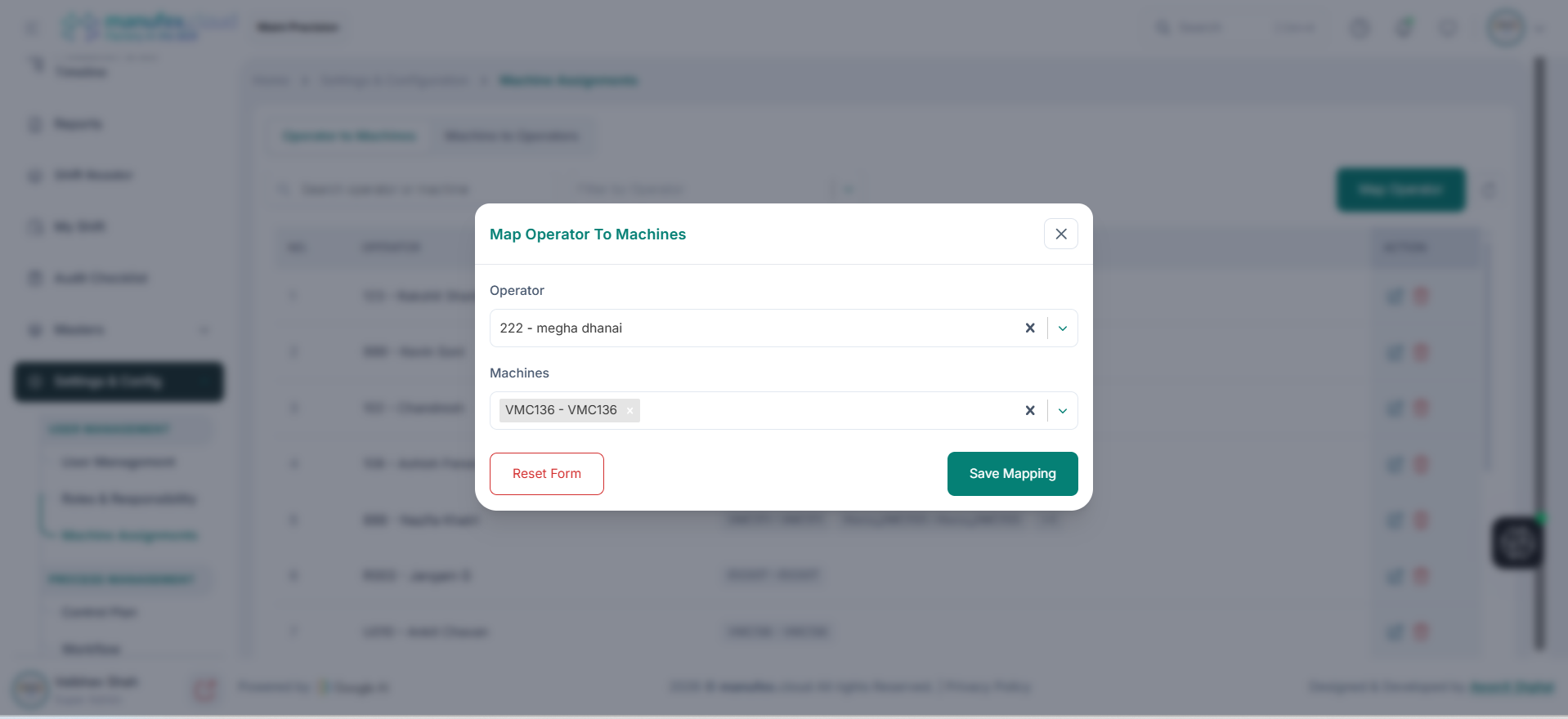
Map operator to machines:
1. Open the Operator to Machines tab.
2. Click Map Operator.
3. Select Operator and Machines.
4. Click Save Mapping.
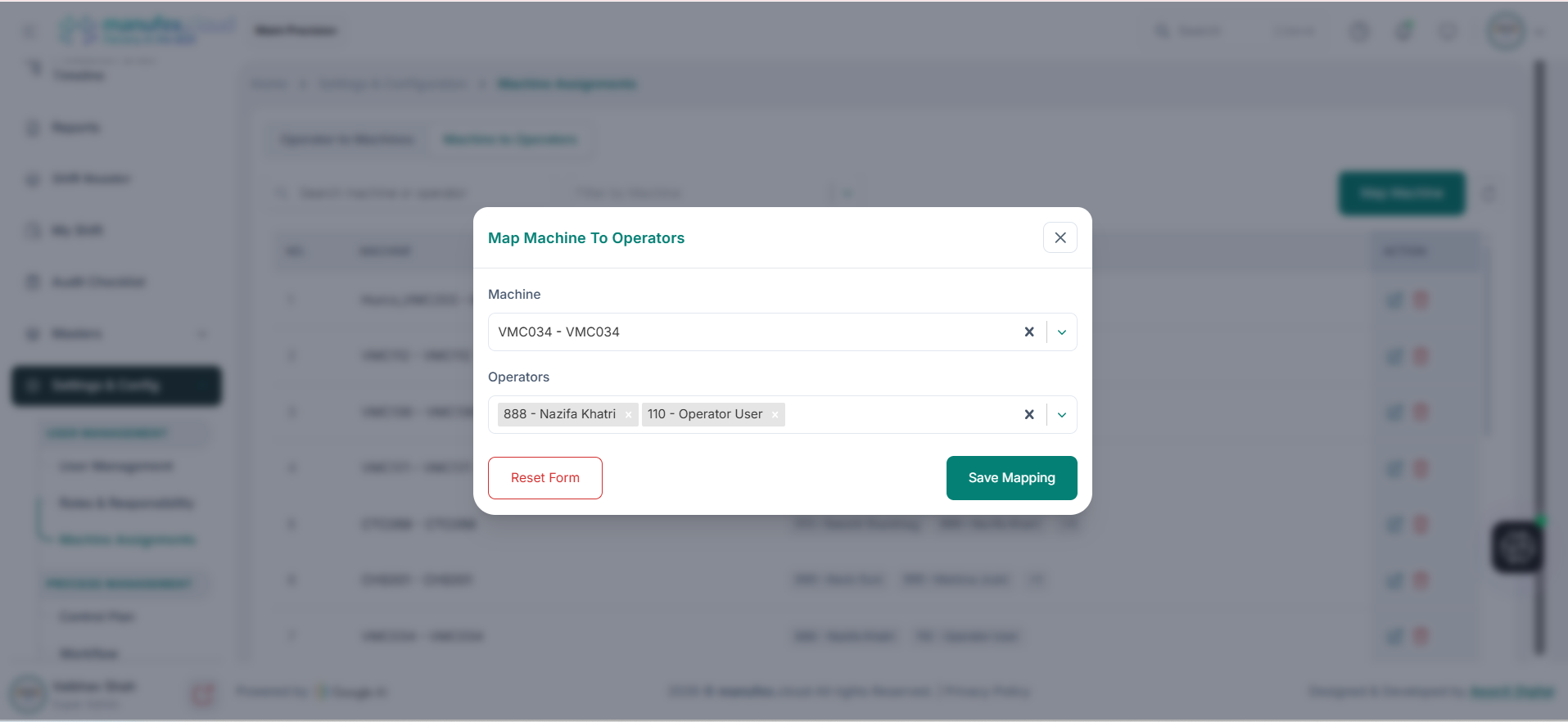
Map machine to operators:
1. Open the Machine to Operators tab.
2. Click the mapping button (Map Operator/Map Machine).
3. Select Machine and Operators.
4. Click Save Mapping.
Edit a mapping: 1. Click Edit in the Action column. 2. Update the mapping and click Save Mapping.
Delete a mapping: 1. Click Delete in the Action column. 2. Confirm Delete Permanently.